Getting your social media image sizes right is one of the fastest wins in content quality. The wrong dimensions mean blurry profile photos, cropped cover images, and posts that look unprofessional before anyone reads a single word. Every platform has its own specs – and they change more often than most social media managers realize.
This cheatsheet covers every image size you need for Instagram, TikTok, Facebook, LinkedIn, X (Twitter), Pinterest, Google Business Profile, YouTube, Snapchat, and Tumblr – updated for 2026. Bookmark it, download it, and share it with your team.


Quick Reference: Key Image Sizes Across All Platforms (2026)
| Platform | Profile photo | Cover / banner | Feed post | Stories / vertical |
|---|---|---|---|---|
| 320×320 px | – | 1080×1080 px (square) | 1080×1920 px | |
| TikTok | 200×200 px | – | – | 1080×1920 px |
| 180×180 px | 851×315 px | 1200×630 px | 1080×1920 px | |
| 400×400 px | 1584×396 px (personal) | 1200×627 px | – | |
| X (Twitter) | 400×400 px | 1500×500 px | Up to 5 MB | – |
| 165×165 px | 800×450 px | 1000×1500 px | 1000×1500 px | |
| YouTube | 800×800 px | 2560×1440 px | – | 1920×1080 px (Shorts) |
| Google Business | 720×720 px | – | 720×720 px | – |
Instagram Image Sizes in 2026
Instagram profile picture size
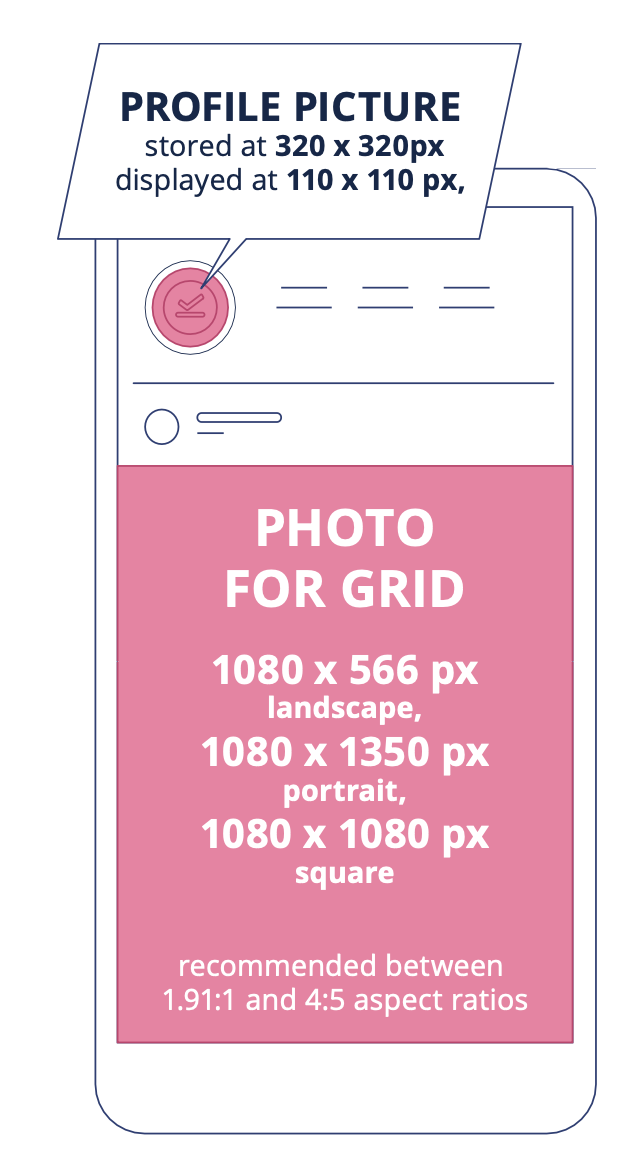
- 320×320 px, displayed at 110×110 px
- 1:1 aspect ratio
Your Instagram profile picture is stored at 320×320 px but displayed at 110×110 px on most devices. Keep all important elements (logo, face) centered – the photo is displayed as a circle with cropped corners, so anything near the edges will be cut off.
Instagram photo size for the feed grid
- Square: 1080×1080 px
- Landscape: 1080×566 px
- Portrait: 1080×1350 px
- Accepted aspect ratios: between 1.91:1 and 4:5
All feed photos are cropped to a 161×161 px square thumbnail when displayed in the grid, regardless of their original format. Design with that in mind – key visual elements placed dead center will survive every crop.
Instagram Stories dimensions
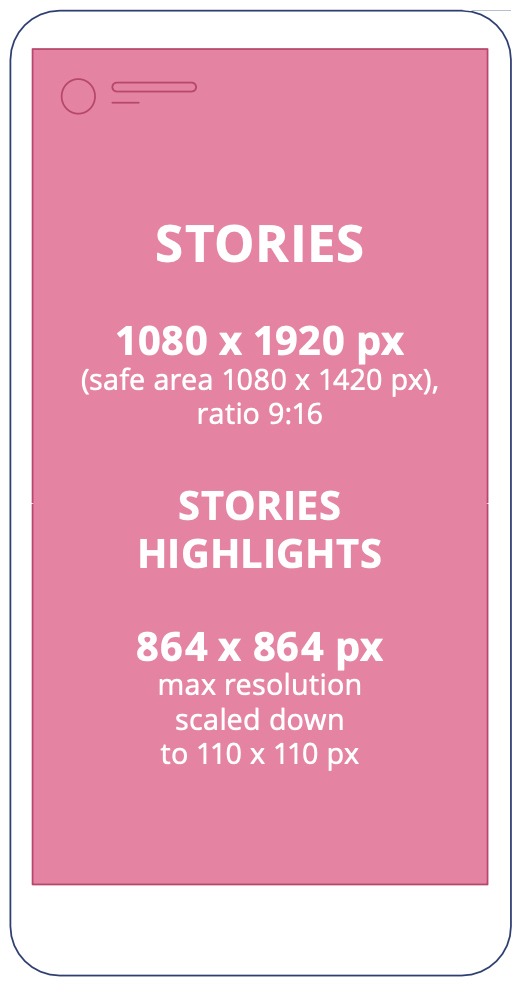
- Maximum: 1080×1920 px
- Minimum: 600×1067 px
- Aspect ratio: 9:16
- Safe area for content: 1080×1420 px (leave 15% margin top and bottom)
Leave roughly 15% of the frame clear at the top (username display) and bottom (navigation buttons). Even though the full canvas is 1080×1920 px, your safe zone for text and key visuals is 1080×1420 px.
Instagram Stories Highlights
- From 864×864 px (scaled down to 110×110 px for display)
The cover image for your Highlights is displayed as a small circle above your feed. Only the center of your image will be visible at 110×110 px, so keep logos and key visuals centered. When a user taps the Highlight, it expands to full Story dimensions.
Instagram Reels size
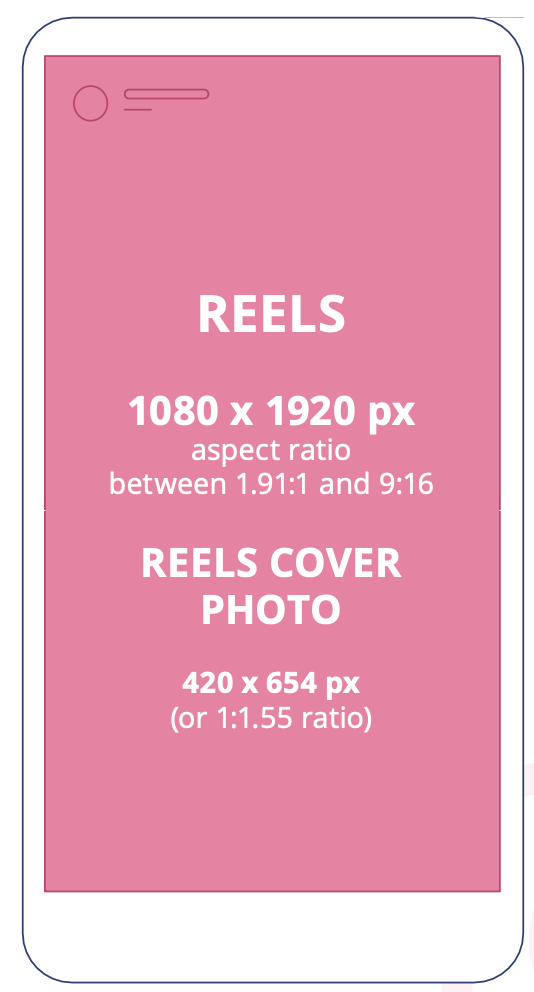
- 1080×1920 px
- Aspect ratio: between 1.91:1 and 9:16
- Cover photo: 420×654 px (1:1.55 ratio)
When Reels appear in the profile feed, they’re cropped to a 1:1 square. In the home feed and dedicated Reels tab, they crop to 4:5. In Discover, they can display as either square or vertical. Put all essential visual elements in the center of the frame so they survive every crop variant.
TTikTok Image Sizes in 2026
TikTok profile photo size
- Minimum: 20×20 px
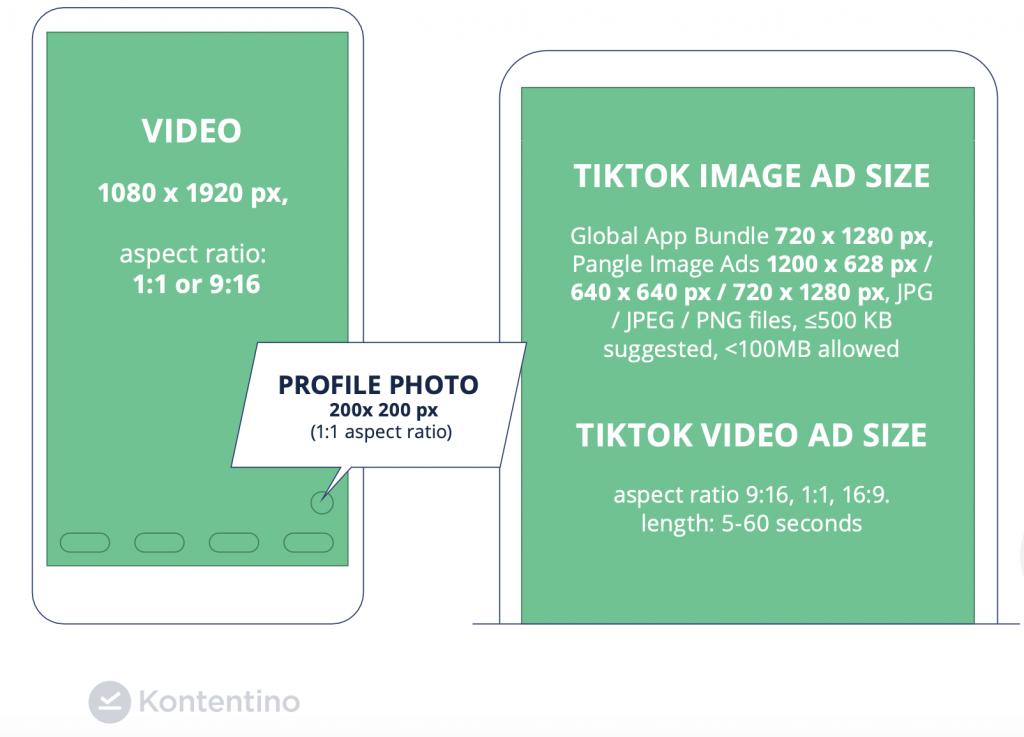
- Recommended: 200×200 px or larger
TikTok accepts profile pictures as small as 20×20 px, but 200×200 px is the recommended minimum for quality and future-proofing. Uploading at 200×200 px or above reduces the chance of needing to re-upload if TikTok’s display requirements change.
TikTok video size
- 1080×1920 px
- Aspect ratio: 9:16 (or 1:1)
- Safe zone: keep key elements away from top and bottom margins
TikTok has file size limits that can affect high-quality videos with heavy filters or effects. Keep your main visual elements and text out of the top and bottom 15% of the frame to avoid being obscured by the interface (username, sounds, description, buttons).
TikTok image ad size
- Global App Bundle: 720×1280 px, JPG/JPEG/PNG, max 100 MB
- Pangle Image Ads: 1200×628 px / 640×640 px / 720×1280 px, JPG/JPEG/PNG, max 100 MB
TikTok video ad size
- Aspect ratio: 9:16, 1:1, or 16:9
- Duration: 5-60 seconds
TikTok’s ad formats change frequently. Always verify current specs in TikTok’s Ads Manager before launching a paid campaign – recommended sizes are updated regularly.
Facebook Image Sizes in 2026
Facebook profile picture size
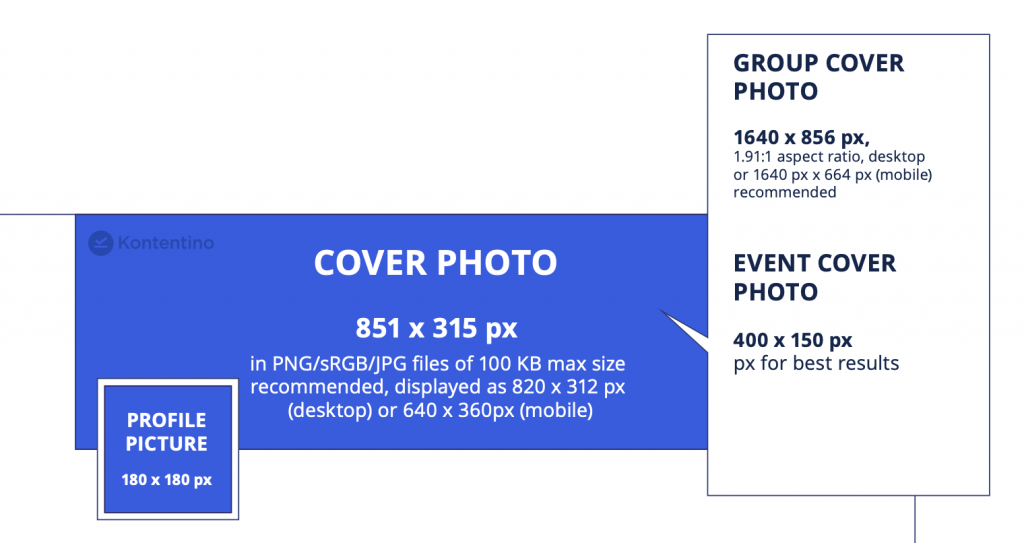
- 180×180 px (upload size)
- Displayed at 176×176 px on desktop, 196×196 px on mobile
Upload at minimum 180×180 px – ideally larger – to ensure your logo or photo stays sharp across both desktop and mobile displays. Both personal profiles and business Pages use the same display dimensions.
Facebook cover photo dimensions
- 851×315 px
- PNG or sRGB JPG files, under 100 KB
- 16:9 aspect ratio
Your Facebook cover photo is the first thing visitors see. Keep key elements away from the edges – the display is cropped differently on desktop and mobile, so a central safe zone protects your most important visuals.
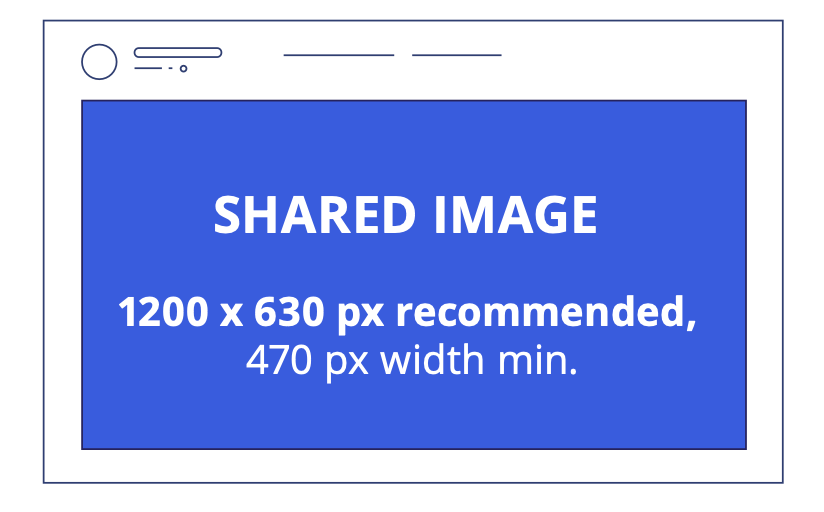
Facebook shared image size
- Recommended: 1200×630 px
- Minimum width: 470 px
Images default to 470 px wide and scale based on the viewer’s device. Use 1200×630 px for high-resolution displays. Note: some older sources still reference 1200×628 px – Meta updated this slightly, and 1200×630 px is the current recommended spec.
Facebook link post size
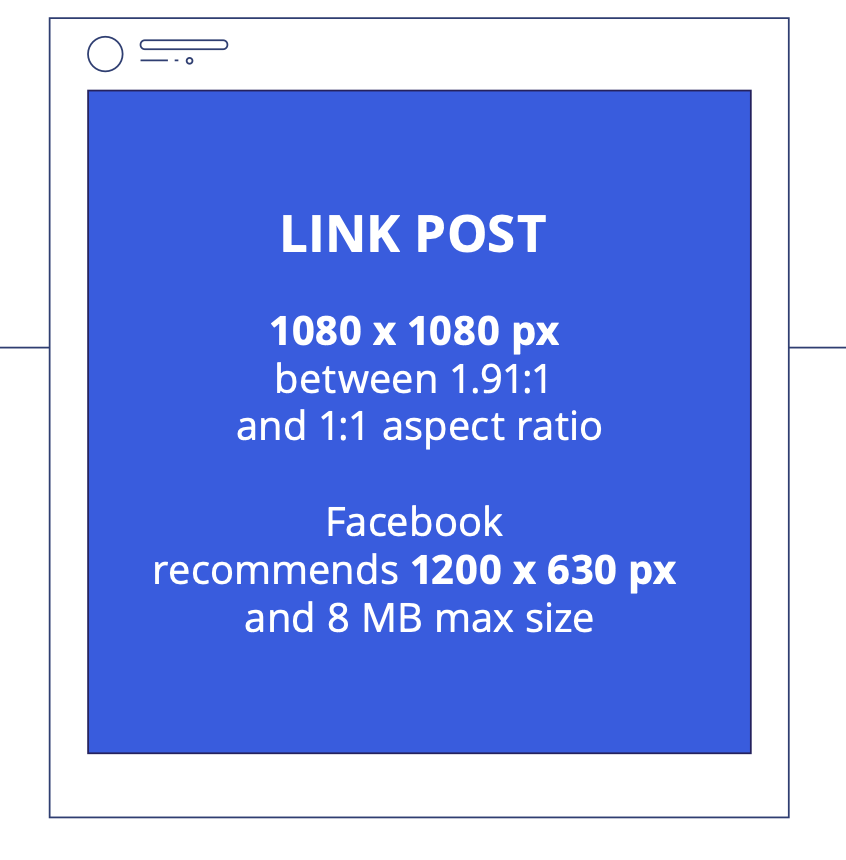
- 1080×1080 px (Meta recommends 1200×630 px)
- Aspect ratio: 1.91:1 to 1:1
- Maximum file size: 8 MB
Link posts redirect users to an external page rather than zooming in on the image. The thumbnail is what carries the visual weight here – make sure it communicates the destination clearly even at small sizes.
Facebook group cover photo size
- Recommended: 1640×856 px (desktop) or 1640×664 px (mobile)
- Aspect ratio: 1.91:1
- Safety margins: 96 px top and bottom
Group cover photos display differently on desktop and mobile. The 96 px top and bottom safety margins protect your key visuals from being cropped on mobile.
Facebook event cover photo size
- Recommended: 400×150 px
Once uploaded, your event cover photo dimensions can’t be edited from within the event page. Finalize your image before uploading – changes require creating a new event or removing and re-uploading.
Facebook Stories image size
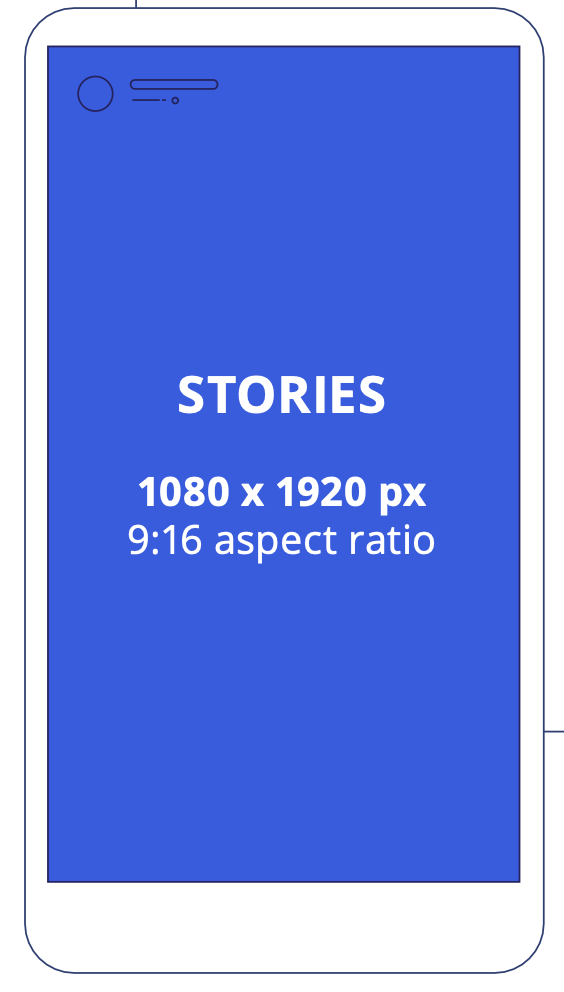
- Recommended: 1080×1920 px
- Safe area: 1080×1420 px
- Aspect ratio: 9:16
Leave 14% (approximately 250 px) clear at the top and bottom for the title-safe area, accounting for usernames and navigation buttons.
Facebook image sizes for ads
Feed ads
- Highest resolution available, aspect ratio between 1.91:1 and 4:5
- With link: minimum 1080×1080 px, aspect ratio 1.91:1 to 1:1
Right column ads
- File type: JPG or PNG
- Aspect ratio: 1:1
- Minimum: 254×133 px, recommended 1080×1080 px
Video ads (feed)
- Aspect ratio between 1.91:1 and 4:5
- With link: minimum 1080×1080 px
Video ads (in-stream)
- File type: MP4, MOV, or GIF
- Aspect ratio: 16:9 or 1:1
- Minimum: 1080×1080 px
Carousel ads
- Image file type: JPG or PNG
- Video file type: MP4, MOV, or GIF
- Aspect ratio: 1:1
- Minimum: 1080×1080 px
- 2-10 carousel cards
- Image max file size: 30 MB
- Video max file size: 4 GB
- Video duration: 1 second to 240 minutes
LinkedIn Image Sizes in 2026
LinkedIn has removed some formats in recent years (including Stories), but the core image specs remain consistent.
LinkedIn profile photo size
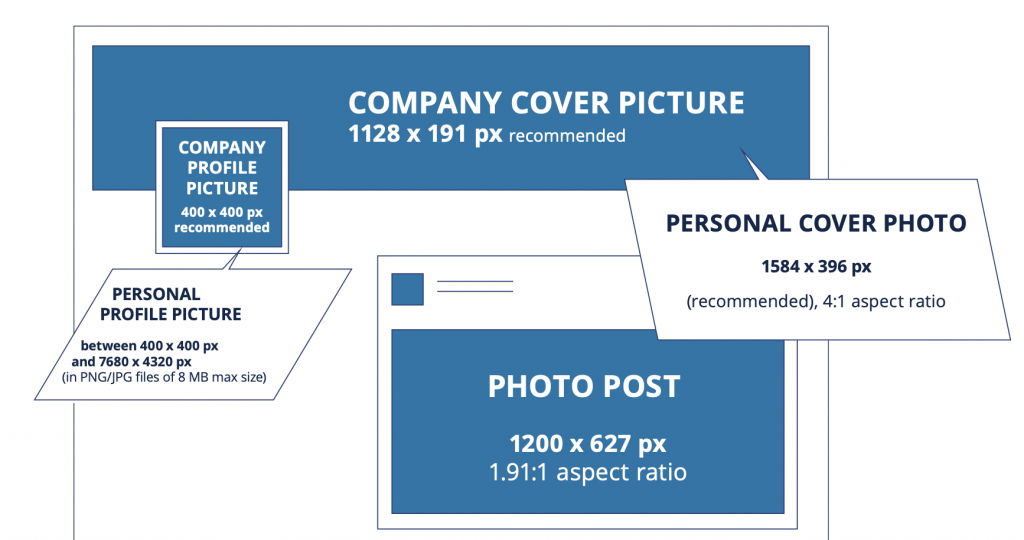
- Minimum: 400×400 px
- Maximum: 7680×4320 px
- File types: PNG or JPG, maximum 8 MB
Your LinkedIn profile photo displays on your profile page, in search results, and next to your comments and posts. It’s displayed as a circle, so keep essential elements centered and away from the corners.
LinkedIn personal cover photo size
- Recommended: 1584×396 px
- Aspect ratio: 4:1
Your profile photo overlaps the cover image in the bottom-left corner on desktop. Leave space around that area, and be aware that additional cropping may occur on mobile devices.
LinkedILinkedIn company profile photo size
- 400×400 px
Unlike personal profiles, LinkedIn company profile photos are not cropped to a circle – they display as a square. You can use the full image area without worrying about corner cropping.
LinkedIn company cover photo size
- Minimum: 1128×191 px
- Aspect ratio: 5.9:1
- File types: PNG, JPG, or GIF
- Maximum file size: 8 MB
Note: the personal cover photo (1584×396 px, 4:1) and the company cover photo (1128×191 px, 5.9:1) are different sizes. They’re not interchangeable – the company cover is considerably narrower.
LinkedIn photo post size
- Recommended: 1200×627 px
- Aspect ratio: 1.91:1
- Minimum width: 200 px
For document posts and square-format content on LinkedIn, 1:1 ratio works well. The 1200×627 px recommendation applies to standard image posts shared in the feed.
LinkedIn video size
- Resolution: 256×144 px to 4096×2304 px
- Maximum file size: 5 GB
- Duration: 3 seconds to 10 minutes (up to 15 minutes when uploading from desktop)
- Unsupported formats: AVI, QuickTime, MOV
LinkedIn only supports specific video formats. If your file format isn’t compatible, convert before uploading or use a GIF as an alternative.
X (Twitter) Image Sizes in 2026
X has changed significantly in recent years. Verify these specs against X’s current ad specs before launching paid campaigns, as changes occur frequently.
X (Twitter) profile picture size
- Recommended: 400×400 px
- Displayed at: 200×200 px
- Maximum file size: 2 MB
Twitter profile photos display as circles both on your profile and next to all your comments and replies. Keep all important elements centered.
X (Twitter) header photo size
- 1500×500 px
- Safety margin: 60 px top and bottom
- Cropped to 2:1 ratio on mobile
- Maximum file size: 5 MB
Your circular profile photo slightly overlaps the header image. The 60 px top and bottom safety margins protect your key content from being cut off on mobile. The header also appears as a thumbnail when users hover over your username.
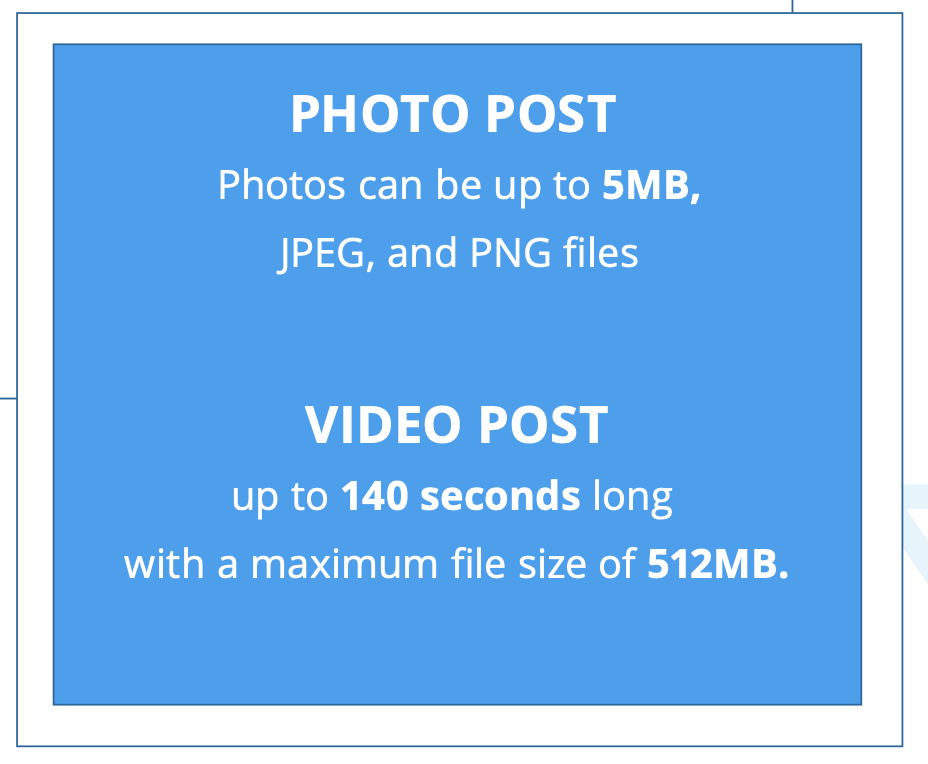
X (Twitter) photo post size
- Maximum file size: 5 MB
- Supported formats: JPEG and PNG
When uploading multiple images in a single post, X adjusts them automatically. If you’re posting several images together, keep key elements centered to survive the automatic layout adjustments.
X (Twitter) video post size
- Maximum duration: 140 seconds
- Maximum file size: 512 MB
For X Premium subscribers: videos up to 2 hours at 1080p (maximum 8 GB), and 2-3 hour videos at 720p (maximum 8 GB).
X (Twitter) ad sizes
Twitter cards
- Aspect ratio: 1:1
- Dimensions: 144×144 px (min) to 4096×4096 px (max)
- Maximum file size: 5 MB
- File types: JPG, PNG, WEBP, GIF
Image ads
- File types: PNG or JPEG
- Maximum file size: 5 MB
Video ads
- File types: MP4 or MOV
- Maximum file size: 1 GB (under 30 MB recommended)
- Recommended duration: 15 seconds or less (up to 2:20 supported)
- Thumbnail: PNG or JPEG, max 5 MB
Image carousel ads
- 800×418 px for 1.91:1 aspect ratio
- 800×800 px for 1:1 aspect ratio
Video carousel ads
- 800×450 px for 16:9 aspect ratio
- 800×800 px for 1:1 aspect ratio
Pinterest Image Sizes in 2026
Pinterest profile image size
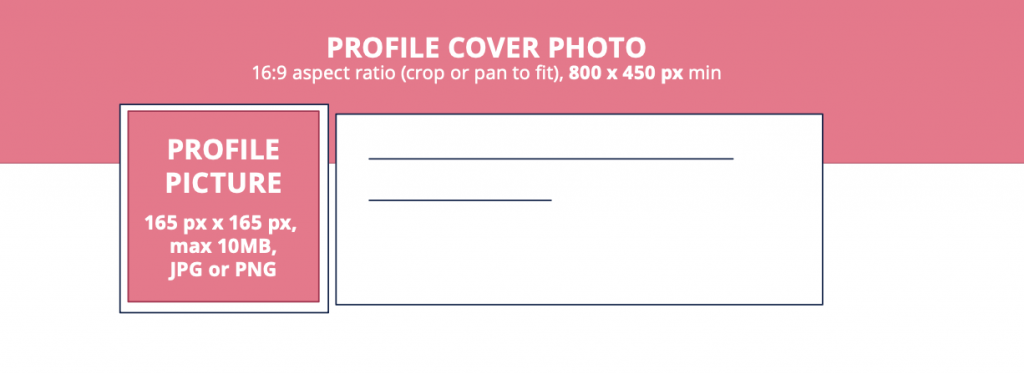
- 165×165 px
- File types: JPG or PNG
- Maximum file size: 10 MB
Pinterest profile images display in both your profile preview and beside every Pin you create. Even though the upload is square, the image displays as a circle with cropped corners.e is a square, the profile image will be displayed in a circle with the corners being cropped.
Pinterest profile cover photo size
- Minimum: 800×450 px
- Aspect ratio: 16:9
Leave space at the bottom of your cover photo – your profile picture overlaps it in the lower portion of the frame (roughly half a circle shape in from the left).
Pinterest Pin size
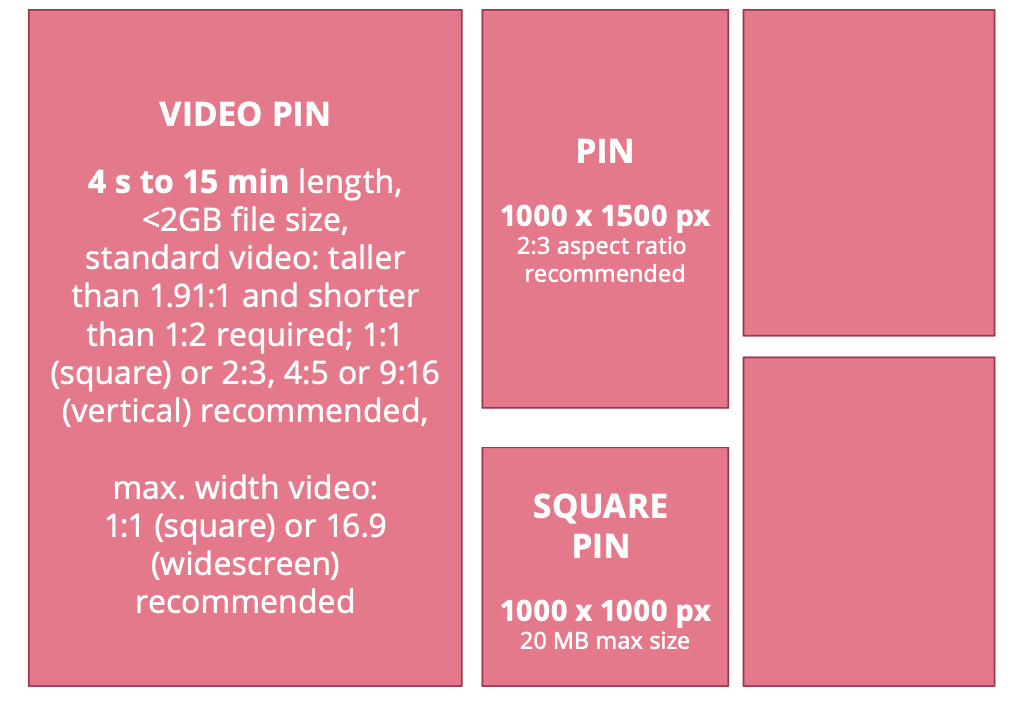
- Recommended: 1000×1500 px
- Aspect ratio: 2:3 (recommended)
- Square pins: 1000×1000 px
- Feed display: 236 px min width, adjustable height
The 2:3 aspect ratio is the safest choice for Pinterest Pins. Pins with aspect ratios outside 2:3 are cropped starting from the bottom, so anything in the lower portion of a taller image risks being cut off. These dimensions also apply to Pinterest standard image ads.
PiPinterest Video Pin size
- File types: MP4, MOV, or M4V
- Duration: 4 seconds to 15 minutes (recommended for ads: 6-15 seconds)
- Maximum file size: under 2 GB
- Standard video aspect ratios: 1:1, 2:3, 4:5, or 9:16
A Pinterest Business account is required for organic video Pins.
Pinterest standard image ads size
- File types: PNG or JPEG
- Maximum file size: 20 MB (desktop), 32 MB (in-app)
- Recommended aspect ratio: 2:3 or 1000×1500 px
Pinterest carousel ads size
- File types: PNG or JPEG
- Maximum file size: 20 MB per image
- 2-5 images per carousel
- Aspect ratio: 1:1 or 2:3
For carousel ads, square images (1:1) are recommended when using multiple images to maintain visual consistency across cards.
Google Business Profile Image Sizes in 2026
Ready to make your Google Business Profile shine this year? Here’s your handy guide.
Google Business Profile photo
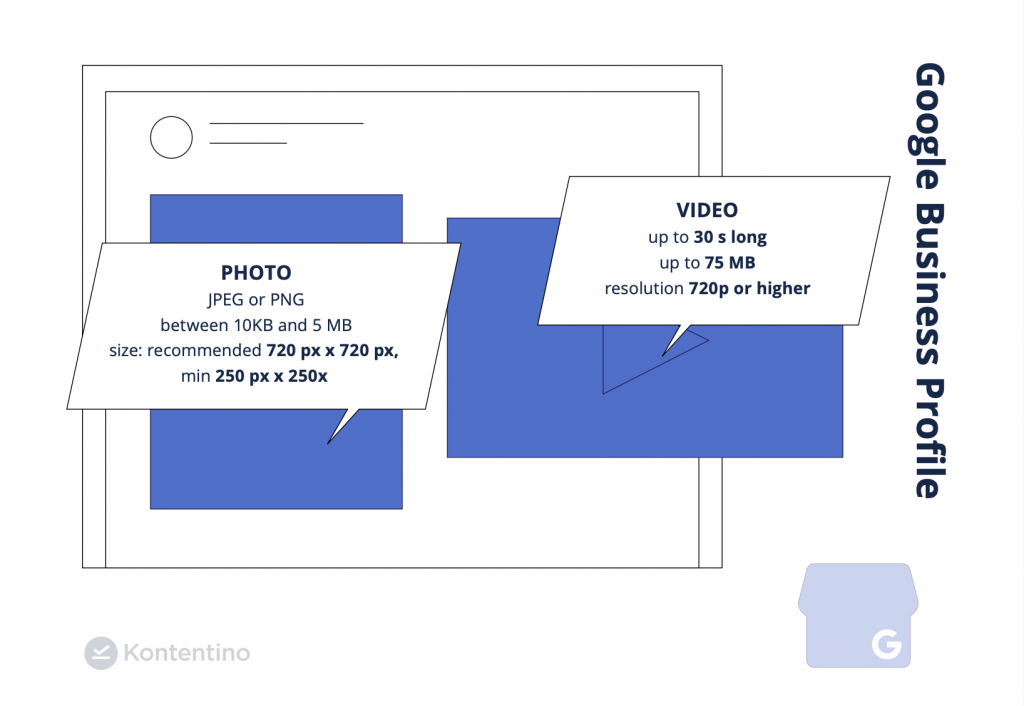
- File types: JPEG or PNG
- Recommended size: 720×720 px
- Minimum size: 250×250 px
- File size: 10 KB to 5 MB
Google Business Profile photos appear directly on Google Search and Maps results – this is front-line brand visibility. Quality matters more here than on most other platforms because it’s often the first image a potential customer sees before visiting your website or location.
Google Business Profile video
- Maximum duration: 30 seconds
- Maximum file size: 75 MB
- Minimum resolution: 720p
Videos give potential customers a feel for your business environment, products, or team before they visit. Keep videos under 30 seconds and shoot at 720p or higher for a sharp result.
YouTube Image Sizes in 2026
YouTube profile photo size
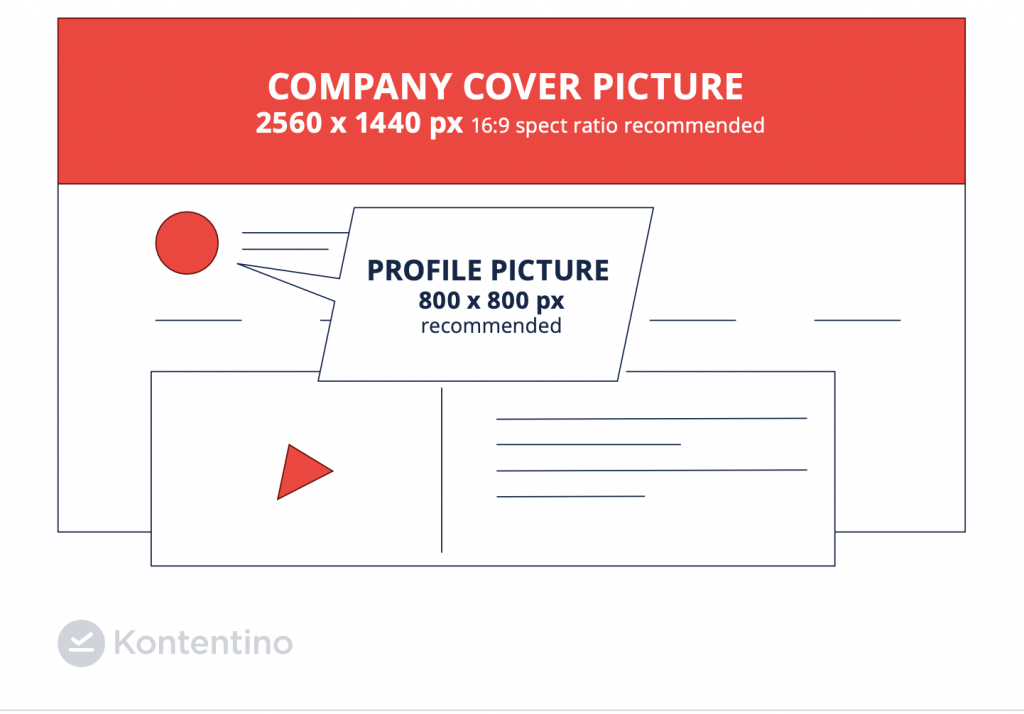
- 800×800 px
- File types: JPEG, PNG, or BMP (no animated GIFs)
- Maximum file size: 4 MB
Your YouTube channel profile photo appears on your channel page, in comments, and in search results. Like most platforms, YouTube crops it into a circle – keep important elements centered.
YouTube cover photo (banner) size
- Minimum: 2560×1440 px
- Aspect ratio: 16:9
- Safe area for text and logos: 1235×338 px (centered)
- Maximum file size: 6 MB
The YouTube banner safe area is the zone guaranteed to be visible on all devices and screen sizes. Text, logos, and key visual elements should stay within the 1235×338 px centered safe zone. A small “Subscribe” button from YouTube overlaps slightly in the bottom-right corner.
YouTube Shorts size
- 1920×1080 px
- Aspect ratio: 9:16
YouTube Shorts follow the same vertical format as TikTok and Instagram Reels. Designed for mobile consumption, they should be shot and edited in portrait orientation.
Snapchat Image Sizes in 2026
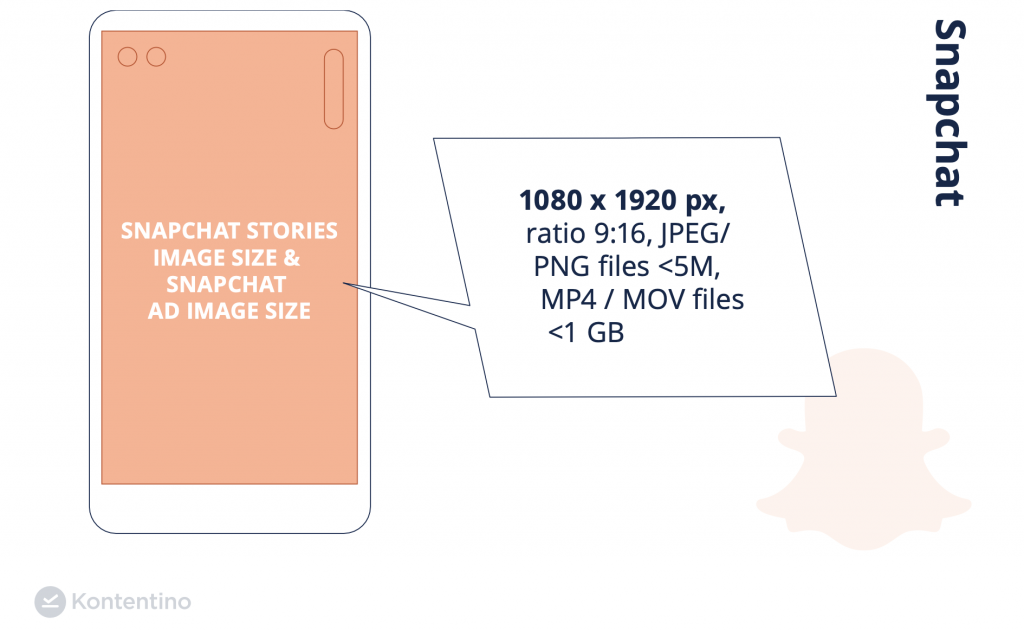
Snapchat Stories image size and ad image size
- 1080×1920 px
- Aspect ratio: 9:16
- File types: JPEG or PNG
- Image file size: under 5 MB
- Video file types: MP4 or MOV, under 1 GB
Keep logos and graphic elements within 150 px of the top and bottom and at least 5% in from the left and right edges to avoid being obscured by Snapchat’s interface elements.
TTumblr Image Sizes in 2026
Tumblr profile photo size
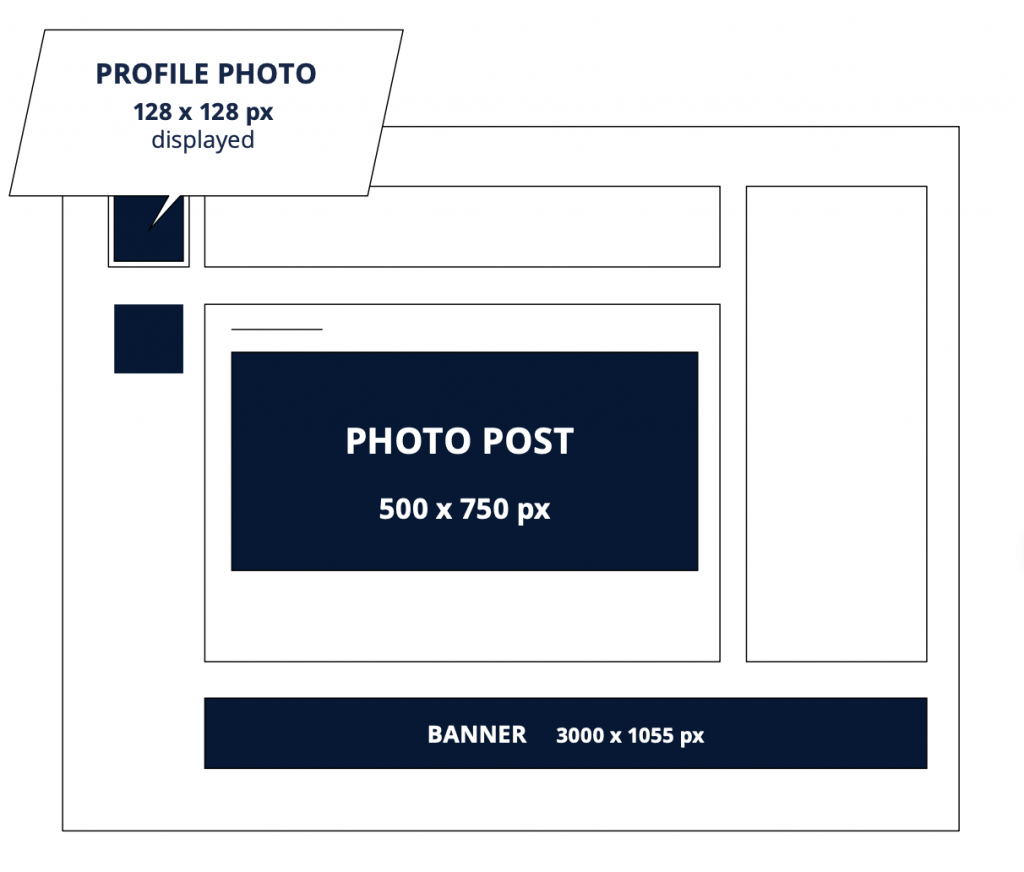
- 128×128 px
- File types: JPG, GIF, PNG, or BMP
Tumblr keeps profile photos as squares – no circular cropping to worry about.
Tumblr photo post size
- Displayed at: 500×750 px
- Maximum file size: 10 MB (3 MB for animated GIFs)
- Maximum width: 540 px
You can add up to 30 photos to a single Tumblr post. Basic image editing is available within the Tumblr editor itself.
Tumblr banner size
- 3000×1055 px
- Recommended ratio: 3:1
Even if you’re not using the exact prescribed dimensions, maintaining a 3:1 ratio gives you the most predictable results across different screen sizes.
Why Getting Social Media Image Sizes Right Matters
Using the correct image dimensions isn’t just about aesthetics – it’s about first impressions, brand credibility, and content performance.
When images are blurry, stretched, or awkwardly cropped because the wrong dimensions were used, it signals carelessness before a single word is read. For agencies managing multiple client accounts, a pixelated profile photo or a cover image with the logo cut off is the kind of mistake that erodes client trust fast.
There’s also a practical reach dimension: platforms like Instagram and Facebook optimize how they display properly-sized content in feeds. Images that don’t match accepted aspect ratios may be cropped in unexpected ways or display with white bars – both of which reduce click-through rates and engagement.
The “one-size-fits-all” approach definitively doesn’t work for social media visuals. A 1200×627 px LinkedIn post image looks wrong on TikTok. A 1080×1920 px Story graphic published to a Facebook feed looks absurdly tall. Every platform has its own context, display environment, and user expectations – and image sizes reflect all three.
How to Manage Image Sizes Across Multiple Accounts
If you’re creating content for multiple brands across multiple platforms, keeping track of all the right sizes while maintaining a consistent posting schedule is genuinely difficult.
Kontentino’s content planning tool lets you plan, preview, and schedule content for Instagram, Facebook, TikTok, LinkedIn, Pinterest, X (Twitter), and Google Business Profile from one dashboard – so you can see exactly how your content will look on each platform before it goes live, and catch any sizing issues before they become public mistakes.
For agencies managing multiple client accounts, Kontentino’s approval workflow adds a review step so nothing goes live without sign-off – including content with incorrect image dimensions.
Start a 14-day free trial – no credit card required.
Frequently Asked Questions About Social Media Image Sizes
What is the best image size for social media in 2026?
There’s no single best image size for all social media – each platform has its own optimal dimensions. For the most widely applicable format, a 1080×1080 px square image works across Instagram feed, Facebook feed, LinkedIn, and Pinterest with minimal cropping. For vertical content (Stories, Reels, TikTok), 1080×1920 px at a 9:16 aspect ratio is the universal standard.
What size should Instagram images be in 2026?
Instagram feed posts should be 1080×1080 px (square), 1080×566 px (landscape), or 1080×1350 px (portrait). Instagram Stories and Reels should be 1080×1920 px with a 9:16 aspect ratio. Profile pictures are stored at 320×320 px and displayed at 110×110 px.
What is the correct Facebook cover photo size?
The correct Facebook cover photo size is 851×315 px at a 16:9 aspect ratio. Keep key visual elements away from the edges since the image displays differently on desktop and mobile. Use a PNG file under 100 KB for the sharpest result.
What size should LinkedIn images be?
LinkedIn personal cover photos should be 1584×396 px (4:1 ratio). Company cover photos use a different size: 1128×191 px (5.9:1 ratio). Profile photos for both personal and company profiles should be 400×400 px minimum. Feed post images should be 1200×627 px.
What is the recommended TikTok video size?
TikTok videos should be 1080×1920 px at a 9:16 aspect ratio. Keep essential text and visual elements out of the top and bottom 15% of the frame to avoid being covered by the interface. Profile pictures should be 200×200 px minimum.
What is the YouTube banner size?
The YouTube banner (cover photo) minimum size is 2560×1440 px at a 16:9 aspect ratio. The safe zone for text and logos is 1235×338 px centered. Keep all key content within that safe area to ensure visibility across all device sizes.
Why do my social media images look blurry?
Blurry social media images are almost always caused by uploading at too small a resolution – the platform scales the image up to fit its display dimensions, which degrades quality. Always upload at or above the recommended size for each platform. Also check your file format – PNG typically preserves quality better than JPEG for graphics and logos; JPEG is better for photographs.
Do social media image sizes change often?
Platform specs do change, though major shifts are relatively rare. Most updates are minor adjustments (like Facebook’s shared image spec shifting from 1200×628 to 1200×630 px). Checking your image specs annually – and before any major campaign – is good practice. Ad format specs change more frequently than organic post specs.