
If you’re still sleeping on Reels in 2025, we need to talk. Short-form video isn’t just 🔥 trending – it’s the main event. The magic happens in Instagram and Facebook Reels, boosting your reach, engagement, and brand visibility. But if you’ve been holding off because it seems complicated – don’t stress.
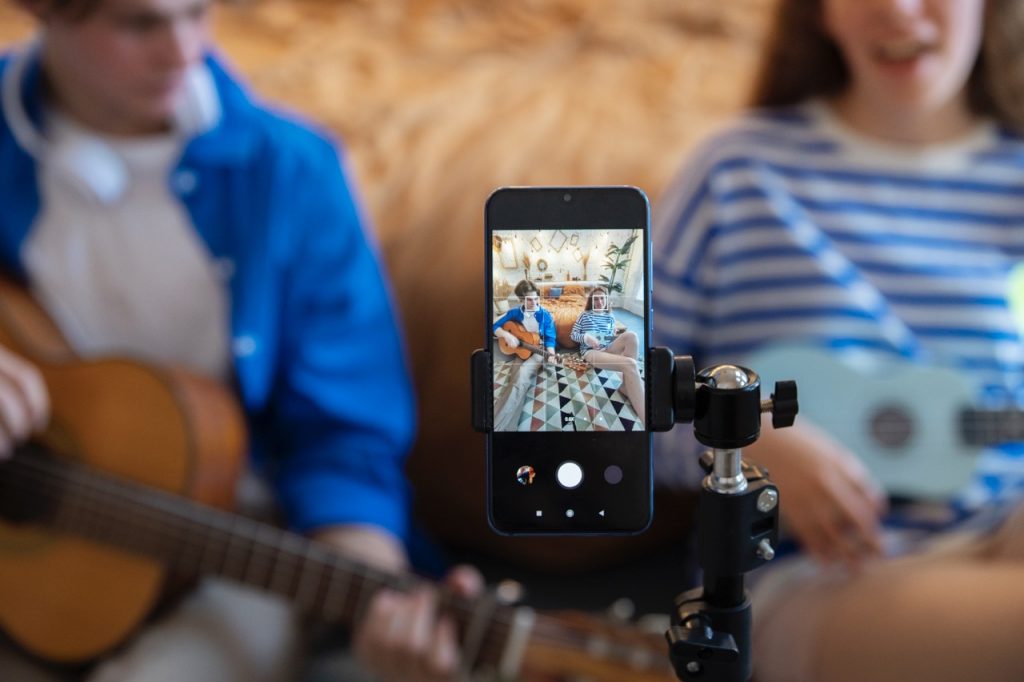
Here’s your step-by-step guide on how to post Reels like a pro. Let’s get you in the game ⤵️
How to Post Reels on Instagram
1. Open Instagram & Access Reels
- Open the Instagram app on your phone.
- Tap the “+” button at the bottom center of your screen.
- Select “Reel” from the options.
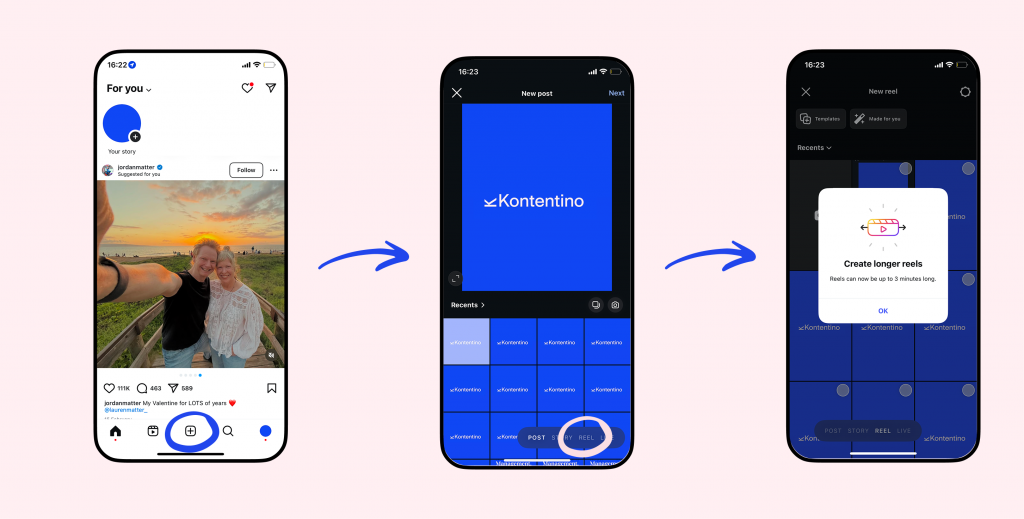
2. Record or Upload a Video
- Tap the record button to shoot your reel in real-time.
- Want to use a pre-recorded video? Swipe up to access your gallery and select a clip.
3. Edit Your Reel
- Trim & Cut: Adjust the length of your clips.
- Speed: Slow it down or speed it up.
- Effects & Filters: Add trending Instagram effects.
- Audio: Choose from Instagram’s music library or use original audio.
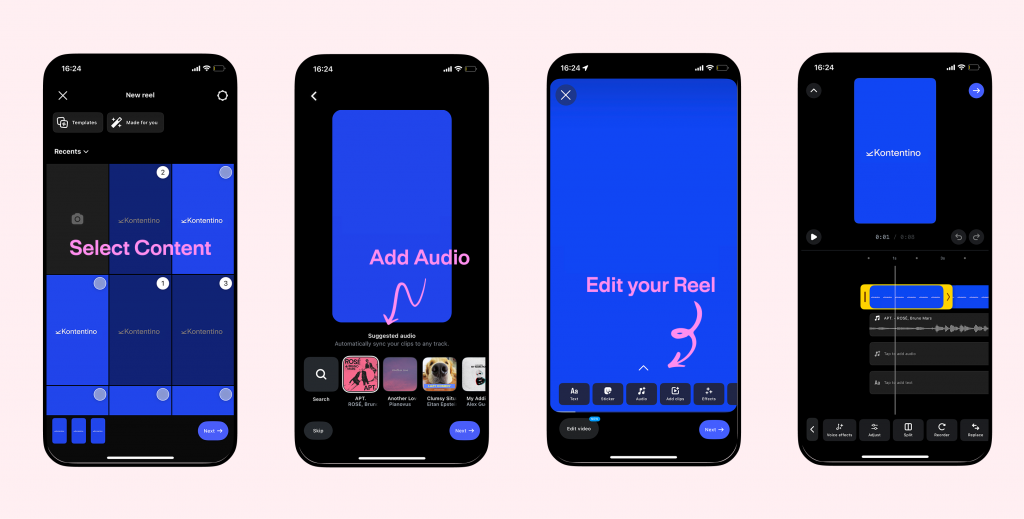
4. Add Text to Instagram Reels
- Tap the “Aa” icon at the top to add text.
- Adjust font, color, size, and placement.
- Use the timeline slider to control when the text appears and disappears.
5. Choose a Cover & Caption
- Tap on “Cover” to select a thumbnail from your video or upload a custom image.
- Write a clear and engaging caption that adds context to your reel.
- Add hashtags to increase discoverability.
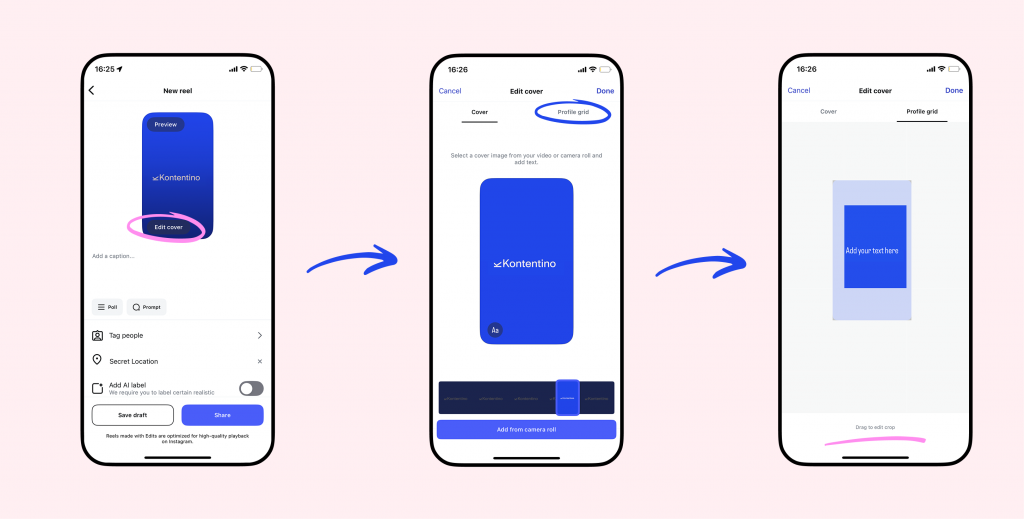
6. Adjust Settings & Post
- Select who can see your Reel (Public, Friends, or Close Friends).
- Toggle on “Share to Feed” for more visibility.
- Tap “Share” – and boom, your Reel is live!
How to Post Reels on Facebook
1. Open Facebook & Access Reels
- Open the Facebook app.
- Tap the “+” button at the bottom at the top of your News Feed.
- Click ” Reel” to get started.
2. Record or Upload a Video
- Record a new video directly in the app.
- Or, upload a saved video from your phone’s gallery.
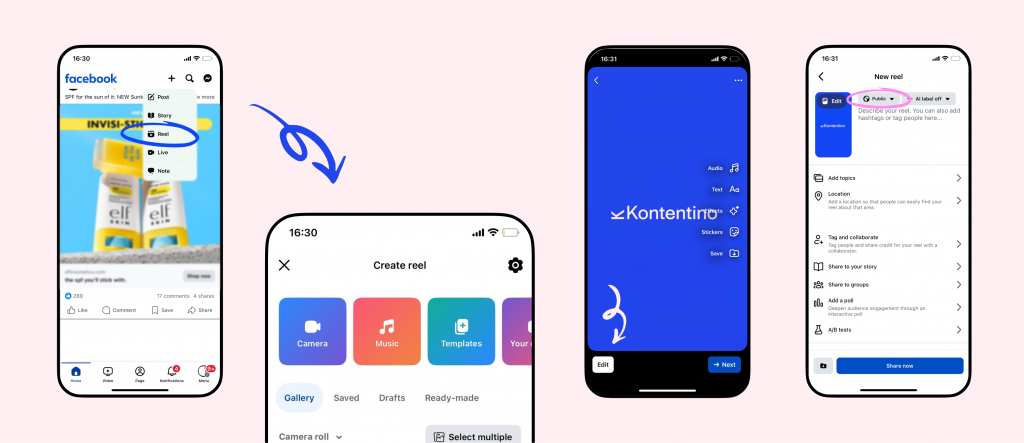
3. Edit & Customize Your Reel
- Trim, cut, and arrange clips.
- Add filters, stickers, and effects.
- Choose a sound from Facebook’s music library.
4. Add Text to Facebook Reels
- Tap the text tool (“Aa” icon) at the top.
- Customize the font, color, and duration of your text.
- Drag and position text for the best visibility.
5. Add a Caption & Hashtags
- Write a catchy caption to engage viewers.
- Include relevant hashtags for discoverability.
6. Post Your Reel
- Adjust your audience settings (Public, Friends, or Private).
- Tap “Share now” and your Facebook Reel is live!
Level Up Your Reels Strategy
Want to schedule Reels at the best time for engagement? Try Kontentino – a must-have social media tool that helps you plan and publish content seamlessly.
Reels FAQs Answered:
1. Can I post the same Reel on Instagram and Facebook?
For sure, yes! Instagram allows you to cross-post Reels to Facebook. When uploading your Reel on Instagram, simply select “Share to Facebook” before publishing.
2. What’s the ideal length for Instagram and Facebook Reels?
Instagram Reels: 15-90 seconds
Facebook Reels: Up to 60 seconds
Shorter videos (15-30 seconds) tend to perform better in engagement and reach.
3. How do I schedule Instagram and Facebook Reels?
You can use Kontentino to schedule your Reels in advance, ensuring they go live at the best engagement times for your audience.
4. Can I add text to Instagram Reels after posting?
No, Instagram does not currently allow you to edit text overlays after posting. Make sure to finalize your captions and text placements before publishing.