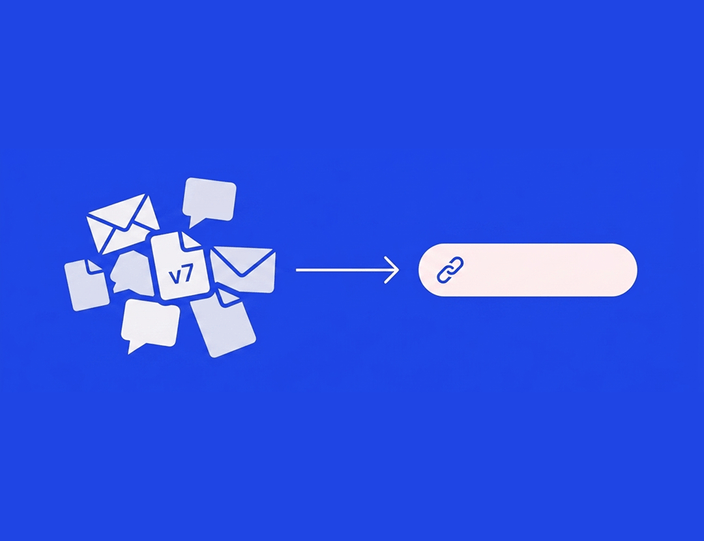
Ask five people at an agency to describe their content process and you’ll get five different answers, three of which contradict each other. That’s usually fine until something goes wrong. Then everyone realizes nobody actually agreed on where the process starts, where it ends, or who’s supposed to catch a mistake in the middle.
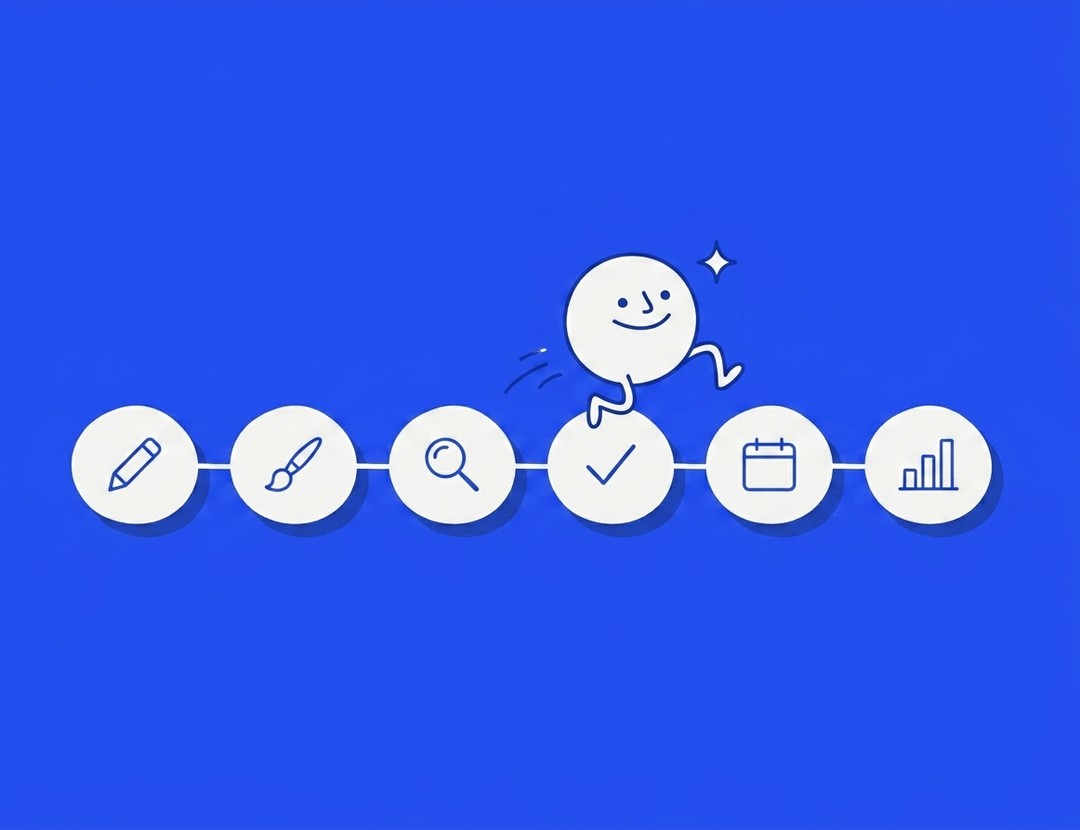
This is the whole thing, start to finish. Not every agency needs every step exactly this way, but if you’re missing one of these six stages entirely, that’s probably where your problems are coming from.
The six stages
Brief, creation, internal review, client approval, scheduling, reporting. In that order, every time.
1. The brief
Before anyone writes a caption, someone needs to answer: what’s this post for, who’s it talking to, and what does “done” look like? A brief doesn’t need to be long. A few lines on the goal, the tone, any must-include details (a promo code, a hashtag, a legal disclaimer) saves everyone downstream from guessing.
Skip this step and you get content created on vibes, which usually means two or three rounds of “actually, can you change…” that a five-minute brief would’ve prevented.
2. Creation
The writer or designer builds the actual post: copy, image or video, hashtags, link. This is the only stage that should involve real creative judgment calls. Everything after this is checking, not creating.
One habit worth building here: attach the brief to the post itself, not in a separate email or chat message. When feedback comes later, whoever’s reviewing should be able to see what the post was supposed to achieve without digging through old messages.
3. Internal review
Someone on your team, not the creator, checks the post before a client ever sees it. Brand voice, typos, does the image actually match the copy, does the link work. This is where you catch the embarrassing stuff quietly, instead of publicly.
This stage exists specifically so client-facing rounds don’t turn into typo-hunting. If your client is catching spelling mistakes, internal review isn’t happening, or isn’t happening carefully.
4. Client approval
The client (or, for in-house teams, whoever has final say) looks at the finished post and says yes, no, or here’s what to change. This should be the fastest stage in the whole process, and for most agencies it’s the slowest, mostly because of how it’s set up rather than anything about the client.
The fix is almost always the same: send a link the client can open without a password, show them the post as it’ll actually look on the platform, and let them approve from their phone. We wrote a full guide on speeding this exact stage up if this is where you’re stuck.
5. Scheduling
The approved post goes into the queue for its actual publish time. This sounds simple and mostly is, as long as the version that gets scheduled is the exact version that got approved. Copy-pasting an approved post into a separate scheduler is where small, avoidable errors creep in: a dropped word, a wrong image crop, a stripped link.
6. Reporting
After the post goes live, someone checks how it did and, on some cadence, rolls that up for the client. This stage gets skipped more than any other, usually because it feels less urgent than the next deadline. It’s also the stage that determines whether a client renews, so it’s worth protecting time for.
Where handoffs go wrong
Every stage above works fine on its own. The real damage happens between stages, when nobody’s clear on whose turn it is.
Creation to internal review. The creator finishes and… does what? If there’s no clear signal (“this is ready for review”), posts sit untouched because everyone assumes someone else already looked at it.
Internal review to client approval. This is the stage where things leak that shouldn’t. Client sees the internal debate about font size, or worse, a version that internal review flagged as not ready. A workflow that keeps internal and client-facing comments in separate channels avoids this entirely.
Client approval to scheduling. The gap where copy-paste errors live, covered above. The fix is having approval and scheduling happen in the same tool, so there’s no manual re-entry step at all.
Simple SLAs that keep the whole thing moving
You don’t need a formal contract clause for this (though it doesn’t hurt to have one), just an agreed rhythm everyone follows:
- Internal review happens within one business day of a post entering the queue.
- Client approval requests get a response within two business days.
- Anything unapproved 24 hours before its scheduled slot moves to the next available one, no exceptions, no guilt.
- Feedback comes back as one consolidated round, not five separate messages over three days.
Write these down somewhere your team and your clients can both see. An SLA that only lives in your head isn’t really an SLA, it’s just your private frustration waiting to happen.
Where automation actually helps, and where it doesn’t
Automate the reminding. If a post has sat waiting for approval for a day, the system should nudge the reviewer, not you. This is the single highest-value automation in the whole workflow, because chasing people is the part everyone hates doing manually.
Automate the handoff. Approved should mean scheduled, automatically, with zero copy-paste. This removes an entire category of “wait, that’s not what I approved” conversations.
Don’t automate the judgment calls. What the post actually says, how it reads, whether the joke lands, that’s still a person’s job. Templates and AI drafting tools can help with a first pass, but the review stages exist because someone needs to actually look at the thing before it goes out under a client’s name.
Templates worth having on hand
A few reusable assets save real time across this whole process:
- A brief template: goal, audience, key message, must-includes, deadline. Five fields, filled out in two minutes, saves an hour of back-and-forth later.
- A feedback format for reviewers: ask for specific, actionable notes (“change the headline to X”) instead of vague ones (“this doesn’t feel right”). Vague feedback is the single biggest cause of unnecessary revision rounds.
- SLA one-pager for new clients: set expectations on turnaround times during onboarding, not three weeks in when a deadline’s already been missed.
Putting it together
None of these six stages is complicated on its own. The hard part is running all of them, in order, without anyone quietly skipping one because they’re busy. That’s really what a workflow tool is for: it doesn’t do the creative work for you, it just makes sure brief leads to creation leads to review leads to approval leads to scheduling, in that order, every time, without you having to police it manually.
Kontentino builds this whole chain into one flow: internal review before client approval, client sign-off with a live preview, and approved posts that move straight into the schedule with nothing retyped. If you want to see the approval piece specifically, that’s the stage most agencies feel first.
Want your whole process running in one place instead of five? Start a 14-day free trial, no credit card needed, or book a demo and we’ll map your current process onto it.
FAQ: the social media workflow for agencies
What are the stages of a social media workflow?
Six, in order: brief, creation, internal review, client approval, scheduling, and reporting. Most process problems come from skipping one of these, especially the brief and the internal review stages.
How long should client approval take?
Two business days is a common, fair standard. Longer than that and you risk missing your posting schedule. Shorter can feel rushed for busy clients. Set the expectation during onboarding, not after the first missed deadline.
What causes the most delays in a social media workflow?
Client approval, almost always. Usually because reviewing requires a login, an attachment, or a desktop computer, none of which match how people actually check things during a busy day. Fix the friction and the delays mostly disappear.
Should the same person write and approve a post?
No. Having the writer also be the sole checker means mistakes go unnoticed until a client or, worse, the public catches them. Even a quick second look from a teammate catches most avoidable errors.
What should be automated in a content workflow?
Reminders and the handoff from approval to scheduling. What shouldn’t be automated: the actual judgment calls about tone, accuracy, and whether something’s actually good. Automation should remove admin, not decision-making.
Run the whole process in one place
Brief to publish, without five separate tools stitched together with copy-paste. Try Kontentino free for 14 days, no credit card required, or book a demo and we’ll show you where your current process has gaps.