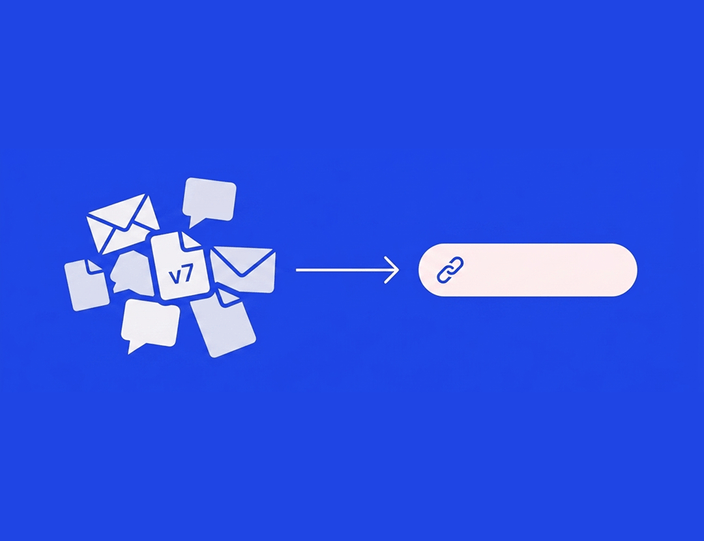
Every agency starts the same way. Approvals happen in email because email is where the client already is. The content calendar is a spreadsheet because spreadsheets are free. Maybe a Trello board appears when someone gets organized.
None of this is wrong. It’s how the work naturally starts, and for some teams (I’ll get to exactly which ones) it stays fine indefinitely. But somewhere between client three and client ten, the workarounds start charging rent. The cost just never appears on an invoice, so nobody budgets for it.
This piece makes that cost visible: what each workaround does well, where it structurally fails, and a transparent model you can rerun with your own numbers.
What each workaround actually does well ⬇️
Credit first, because these tools survive for real reasons.
- Email requires zero onboarding: every client on earth can reply to it. It’s asynchronous, familiar, and legally discoverable after the fact. For one client with light volume, an email thread is a perfectly serviceable approval channel.
- Spreadsheets are free, infinitely flexible, and great at exactly one part of this job: giving an overview of many posts in rows. A well-kept content calendar in Google Sheets, with columns for status and dates, is genuinely more scannable than many tools’ list views.
- Trello (and Asana, and Notion boards) adds what email and sheets lack: visible status. Cards move from Draft to Review to Approved, and everyone can see whose turn it is. For internal review with a disciplined team, a board takes you surprisingly far.
The problem isn’t that these tools are bad. It’s that social media approval has five specific requirements, and each workaround structurally misses at least three.
The five requirements, and where each workaround breaks
| Requirement | Spreadsheet | Trello-style board | |
|---|---|---|---|
| Client sees the post as it will really look | No. Caption text + attachment | No. A cell with a link | Partially. Attachment on a card |
| Feedback lives on the content | No. Scattered across threads | Partially. Comment cells, detached from visuals | Partially. Card comments, but clients need accounts |
| One current version, always | No. Versions fork per thread | No. Sheet says v3, inbox has v4 | Partially. Cards go stale when someone forgets to update |
| A record of who approved what, when | Weak. Buried in threads, unsearchable at scale | No. A cell that anyone can edit or overwrite | Weak. Card moved to Approved by… someone |
| Approval flows into publishing | No. Manual copy-paste into a scheduler | No. Manual copy-paste | No. Manual copy-paste |
Three failure modes deserve a closer look, because they’re where the real money leaks.
The version problem
In email and spreadsheets, “current version” is a matter of opinion. The client replies to Tuesday’s thread with feedback on a caption you rewrote Wednesday. The sheet’s status column says approved, but approved what, exactly? The cell doesn’t know the caption changed after the checkmark went in.
This isn’t carelessness; it’s architecture. When content, feedback, and status live in three places, they drift. Every agency running email approvals has published at least one wrong-version post. The cost of that single incident (takedown, apology call, credibility dent) usually exceeds a year of tool subscription.
The missing audit trail
Ask an email-based agency “who approved the March 14 post, and which version?” and watch someone spend twenty minutes excavating an inbox. Now imagine the question comes from an unhappy client CEO, or worse, a compliance officer.
A real approval record, name, version, timestamp, is something none of the three workarounds produce reliably. Spreadsheet cells can be edited after the fact. Email threads prove someone said “fine” about something. Trello logs that a card moved. For regulated clients (finance, healthcare), this alone disqualifies the workarounds; for everyone else, it’s a slow-burning trust risk.
The copy-paste tax
None of the workarounds publish. Every approved post must be manually rebuilt in a scheduler or the native platform: caption pasted, image re-uploaded, date re-entered. That’s five minutes of pure admin per post, and it’s also the exact step where errors enter after approval: the truncated caption, the wrong image crop, the link that lost its UTM. The client approved one thing; the platform received another.
The time-cost model: what the overhead adds up to
Here’s a transparent model. The assumptions are conservative and stated, so rerun it with your own numbers.
Scenario: an agency with 8 clients, ~20 posts per client per month = 160 posts/month. One account manager coordinates approvals at a fully-loaded cost of €35/hour.
| Per-post overhead | Email + spreadsheet | Dedicated approval tool |
|---|---|---|
| Preparing content for review (formatting the email / updating the sheet) | 4 min | 1 min (content is already in the tool) |
| Chasing: avg. 1.5 reminders per post × 2 min | 3 min | 0 min (automated reminders) |
| Reconciling feedback from threads into one changelog | 5 min | 1 min (comments sit on the post) |
| Version control and status updates | 3 min | 0 min (status is the workflow) |
| Copy-paste into the scheduler after approval | 5 min | 0 min (approved = scheduled) |
| Total per post | 20 min | 2 min |
At 160 posts, that’s 53 hours/month of approval admin via email and sheets, versus roughly 5 hours in a tool. The 48-hour difference, at €35/hour, is €1,680 of labor per month, spent on forwarding, chasing, and retyping. Against that, a dedicated tool with client approvals costs from €109/month (Kontentino Standard, users and profiles bundled; pricing last verified August 2026).
Even if you think our per-post estimates run high, halve them. The gap is still €700+ a month against a €109 tool. The model doesn’t need generous assumptions to clear the bar; the overhead only needs to be real, and anyone who has run a Monday morning of “did client X reply about the Wednesday post?” knows it is.
Two context numbers suggest the estimates are, if anything, gentle. McKinsey’s classic analysis found knowledge workers spend around 28% of their week on email alone (McKinsey Global Institute, The Social Economy). And Asana’s Anatomy of Work research puts “work about work” (status chasing, searching for items, duplicated effort) at more than half of the average workday (Asana, Anatomy of Work). Approval-by-email is a concentrated form of both.
What the model leaves out (all of it in the workarounds’ disfavor)
The error cost: one wrong-version publish per quarter, with the takedown and the apology. The latency cost: email approvals take days, not hours, which kills reactive content entirely. And the growth ceiling: 20 minutes of overhead per post scales linearly with clients, which is why our agency cost math conversation always circles back to process before tools.
What G2 reviewers say after switching
The pattern in public reviews of approval tools is remarkably consistent: the before-state is always email. Agencies describe the switch in terms of what disappeared. “Forget the 14-email thread” is the shape of it: feedback that used to arrive in fourteen replies now sits on the post itself. One Kontentino customer summarized their previous life precisely: “Saving time… it’s easier to manage the inner team and client team throughout one window.” Another, on what changed for clients: “It’s easy for our clients to give us feedback via the comment section… they can give feedback in bulk and it makes everything go really smoothly.”
Bulk is the key word. Email atomizes review into one thread per post; a tool batches a week’s content into one review session. Same client attention, a fifth of the round-trips.
When spreadsheets and email are actually fine
Honesty section. A dedicated approval tool is the wrong purchase when ⬇️:
You have one client (or none) and low volume. Under ~20 posts a month with a single reviewer, the overhead is maybe 6 hours a month. If that’s your reality, a tidy sheet and a weekly email genuinely suffice. Buy a tool when the chasing starts, not before.
Your “client” sits next to you. In-house teams where the approver is one desk away can run review verbally plus a board. The workarounds fail on external, busy, non-technical reviewers; they half-work for internal ones.
Your content is one platform, no visuals. A text-only X/LinkedIn cadence has a small version surface. The preview advantage of a tool matters less when there’s little to preview.
Approval isn’t really required. Some brands trust the social team fully. If nothing needs sign-off, you need a scheduler, not an approval workflow. (Kontentino’s own Starter plan is built for exactly this: internal review only, at €49/month.)
The honest threshold, from watching hundreds of agencies make the switch: around 3+ clients or 100+ posts a month with real client sign-off, the workarounds start costing more than a tool. Below that, keep your spreadsheet with our blessing.
What the switch looks like
Moving approvals out of email is smaller than it sounds, because you’re not migrating data, you’re replacing a habit. Connect profiles, build the workflow stages (internal review, then client), and send the client one link instead of one email. Most agencies run the two systems in parallel for a week and never open the old thread again.
Ready to retire the 14-email thread? Start a 14-day free trial, no credit card needed, or book a demo and bring your messiest approval thread; we’ll show you what it looks like as a workflow.
In Kontentino, the specific replacements: the spreadsheet becomes a visual content calendar with status color-coding, the email thread becomes on-post comments (internal and client comments kept separate), the chasing becomes automatic reminders, and the copy-paste step disappears because approval and publishing are the same tool. Full comparison of options in our best social media approval tools roundup, where we’ll also tell you which competitors handle this well.
FAQ: approval tools vs. email, spreadsheets, and Trello
Can you run a social media approval process through email?
You can, and small teams do. Email works with one client and low volume. It breaks at scale on four points: no platform preview, no version control, feedback scattered across threads, and no reliable record of who approved which version. Past roughly three clients, the admin overhead typically exceeds the cost of a dedicated tool.
How do I set up an approval workflow in Excel or Google Sheets?
A columns-based setup works for tracking: post date, platform, content link, status, approver, notes. The sheet can track approvals but can’t collect them; reviewers still comment elsewhere, versions still live in files, and publishing is still manual. Use a sheet as the overview layer, not as the approval mechanism itself.
Is Trello good for social media approvals?
Trello is good for internal status visibility: cards moving through Draft, Review, and Approved columns. Its limits for client approval: clients need accounts, previews are just attachments, approval identity is weak (anyone can move a card), and there’s no publishing connection. It suits internal review for disciplined small teams.
How much time do approval tools actually save?
Using our model above: an agency running 160 posts a month through email and sheets spends about 53 hours monthly on approval admin, versus roughly 5 hours with a dedicated tool, mostly from eliminated chasing, feedback reconciliation, and copy-paste publishing. Rerun the model with your own volumes; the gap survives conservative assumptions.
What’s the biggest risk of email approvals?
Version confusion. When feedback and files fork across threads, agencies eventually publish a version the client didn’t approve. The direct cleanup is minor; the trust damage isn’t. The second-biggest risk is having no audit trail when someone asks “who approved this?”
When is a dedicated approval tool not worth it?
With one client, under ~20 posts a month, a single reviewer, or no real sign-off requirement. In those cases a spreadsheet calendar and a weekly email are proportionate, and a €49 internal-review plan covers you if you just want scheduling with a light check.
The bottom line
Email, spreadsheets, and Trello aren’t free. They’re paid for in account-manager hours, version incidents, and approvals that take days instead of hours, roughly €1,680 a month of invisible cost in our 8-client model, against €109 for the tool that removes it.
More than 4,000 brands made that trade with Kontentino, and they rate it 4.7 stars on both G2 and Capterra. The trial runs 14 days with no credit card, and if you’re in the “spreadsheets are actually fine” category above, we’ll be the first to tell you: book a demo and ask.