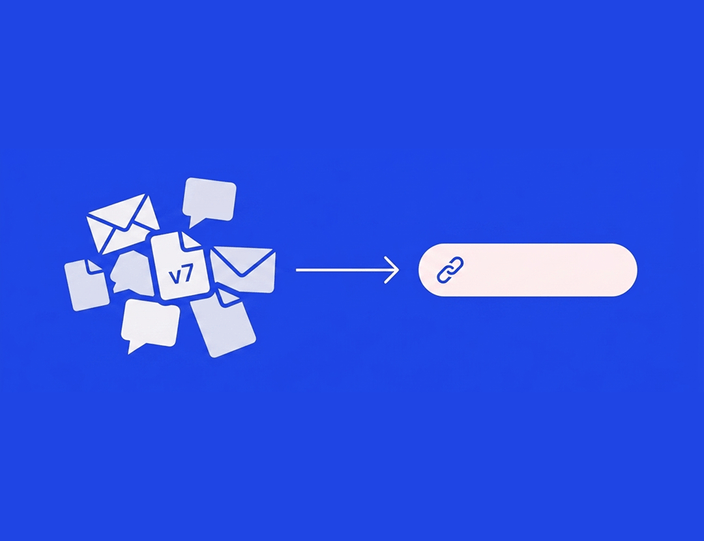
Prędzej czy później każdy zespół publikujący treści otrzymuje jedną z tych dwóch wiadomości: 1. od klienta: „To nie jest caption, który zatwierdziłem!” lub 2. od szefa, po tym jak post zaliczył wpadkę: „Kto to zatwierdził?”
Jeśli proces approvalu odbywa się w wątkach e-mailowych i arkuszach, oba pytania wyzwalają ten sam uciążliwy rytuał: przeszukiwanie skrzynki odbiorczej, robienie screenshotów mało istotnych odpowiedzi i udzielanie wyjaśnień zaczynających się od „Wydaje mi się, że…”. Jeśli jednak Twoje zatwierdzenia odbywają się w narzędziu z historią wersji i ścieżką audytu (audit trail), oba pytania wymagają jednego kliknięcia, a rozmowa kończy się, zanim przerodzi się w konflikt.
Ten przewodnik poświęcony jest właśnie tej różnicy: czym właściwie są te dwie funkcje, co powinny rejestrować i jak dużej „zgodności” (compliance) tak naprawdę potrzebuje normalna agencja.
Historia wersji i audit trail: dwie funkcje, jedna obietnica
Często wymienia się je jednym tchem, ale odpowiadają one na inne pytania.
➡️ Historia wersji odpowiada na pytanie: „Jak zmieniła się ta treść?”. To sekwencja draftów: pierwszy projekt, edycja po wewnętrznym review, poprawki po feedbacku klienta. Dobra historia wersji pokazuje, co zmieniło się między rundami i kto dokonał zmian, dzięki czemu nikt nie powraca do uwag, które zostały już uwzględnione, ani nie traci zatwierdzonych edycji.
➡️ Ścieżka audytu (audit trail) odpowiada na pytanie: „Kto co zrobił i kiedy?”. To log zdarzeń samego procesu approvalu: przesłano do weryfikacji przez A w poniedziałek, zatwierdzono wewnętrznie przez B we wtorek, prośba o zmianę od klienta C w środę z takim komentarzem, ostateczna wersja zatwierdzona przez C w czwartek o 14:32, opublikowano w piątek.
Wspólna obietnica: opublikowany post można zawsze powiązać z konkretną wersją, którą konkretna osoba zatwierdziła w konkretnym czasie. Ta identyfikowalność to esencja produktu. Cała reszta tego artykułu to szczegóły.
Dlaczego wiedza o tym, „kto co zatwierdził”, staje się kluczowa przy dużej skali
Przy jednej marce i dwóch osobach pamięć wystarcza. Przyczyny, dla których przestaje działać, są przewidywalne:
Więcej recenzentów, większa niejednoznaczność. Gdy post przechodzi przez grafika, account managera, marketing leadera klienta, a czasem i dział prawny, stwierdzenie „zostało zatwierdzone” może oznaczać cztery różne rzeczy. Approval workflow definiuje etapy, a audit trail dowodzi, że każdy etap faktycznie miał miejsce.
Rozwidlenia feedbacku i wersji. Klient zatwierdza wersję 3 e-mailem; współpracownik poprawia literówkę, tworząc wersję 4; która z nich trafiła na live? Bez śledzenia wersji szczera odpowiedź to tylko wzruszenie ramion. To najczęstszy powód, dla którego agencje publikują treści, których klient „nie zatwierdził”: technicznie klient ma rację, a agencja nie ma zapisu dowodzącego, że zmiana była trywialna.
Spory przenoszą się z pamięci na dowody. Na zarzut „To nie to, co zatwierdziłem” nie da się odpowiedzieć z pamięci, ale można natychmiastowo zareagować logiem wersji: oto wersja zatwierdzona we wtorek o 14:32, oto opublikowany post – są identyczne. Agencje mówią nam, że ta funkcja zwraca się przy pierwszym trudniejszym momencie w relacji z klientem, ponieważ dyskusja pozostaje oparta na faktach zamiast na słowie przeciwko słowu.
Zmiany w zespole wymazują kontekst. Gdy account manager, który „znał całą historię”, odchodzi, zapisy z jego skrzynki odchodzą razem z nim. Zapisy w narzędziu zostają.
Co rejestruje prawdziwy audit trail ✅
Oceniając ścieżkę audytu w narzędziu (lub budując własną manualnie), sprawdź te sześć elementów:
| Element | Pytanie, na które odpowiada | Słaba wersja | Mocna wersja |
|---|---|---|---|
| Aktor | Kto to zrobił? | „Klient” | Imienna osoba, przypisana do loginu lub unikalnego linku do approvalu |
| Akcja | Co zrobił? | Zmiana statusu | Zatwierdzono / odrzucono / prośba o zmiany, z załączonym komentarzem |
| Obiekt | Która treść, która wersja? | Post | Snapshot konkretnej wersji w momencie zatwierdzenia |
| Timestamp | Kiedy? | Data | Data i godzina, niemodyfikowalna |
| Sekwencja | W jakiej kolejności? | Możliwość sortowania po dacie | Pełna ścieżka: approval wewnętrzny przed klienckim, widocznie wymuszony |
| Trwałość | Czy można to nadpisać? | Edytowalne komórki lub karty | Historia typu „tylko dopisz”, której nikt nie może po cichu zmienić |
Ostatni wiersz to powód, dla którego arkusze i tablice Trello nigdy nie zdadzą egzaminu: zapis, który każdy może edytować po fakcie, nie jest dowodem, lecz notatką. (Opisaliśmy to szerzej w naszym porównaniu narzędzi do approvali vs. rozwiązań zastępczych.)
Jak należy śledzić rundy poprawek
Historia wersji ma jedno zadanie: utrzymać rundy poprawek w ryzach i zachować ich przejrzystość. W praktyce sprowadza się to do trzech zasad.
Każda runda tworzy osobną wersję. Draft, po weryfikacji wewnętrznej, po feedbacku klienta. Gdy klient pyta: „Czy zmieniliście to, co zaznaczyłem?”, odpowiedzią powinno być porównanie zmian (diff), a nie obietnica. Jedna z agencji opisała swój cykl tak: „Tworzę posty, instruuję grafika w komentarzach, wymieniamy uwagi na chacie, potem trafia to do approvalu wewnętrznego, a na końcu do klienta”. Każde z tych przekazań to granica wersji, którą warto zapisać.
Zatwierdzenie dotyczy wersji, nie posta. To subtelna, ale ważna różnica. Jeśli approval to tylko flaga statusu przy poście, każda późniejsza edycja „dziedziczy” to zatwierdzenie. Jeśli approval tworzy snapshot wersji, każda późniejsza zmiana widocznie wymaga ponownego zatwierdzenia. To drugie podejście jest uczciwe i chroni obie strony.
Feedback zostaje przypisany do właściwej rundy. Gdy komentarze znajdują się bezpośrednio przy treści (a nie w osobnych wątkach), wersja 5 nie może przypadkowo przywołać feedbacku z wersji 2, a nowi interesariusze mogą przeczytać całą historię posta w jednym miejscu.
Kwestia compliance – bez ubarwiania
Szukając hasła „audit trail”, szybko trafisz w rejony enterprise compliance. Oto jak to wygląda w rzeczywistości dla typowej agencji lub zespołu marki.
🤝🏻 Jeśli obsługujesz regulowanych klientów (finanse, opieka zdrowotna, farmacja, ubezpieczenia), ścieżki audytu przestają być wygodą, a stają się koniecznością. Organy nadzoru finansowego oczekują, że firmy będą nadzorować i przechowywać zapisy komunikacji w social media. W takich przypadkach wymogiem jest możliwość przedstawienia zapisu zatwierdzenia dowolnego posta. Nie rób tego za pomocą e-maili.
🤝🏻 Jeśli nie obsługujesz takich klientów, nadal potrzebujesz tych samych funkcji, ale o mniejszą stawkę. Pomyśl o tym jak o „compliance w wersji lite”: zapis istnieje po to, by rozstrzygać pytania klientów i przeprowadzać wewnętrzne podsumowania projektów. Nie potrzebujesz skomplikowanych polityk retencji danych; potrzebujesz wiedzy o tym, kto co zatwierdził, dostępnej w jedno kliknięcie.
Warto zauważyć, że ta nisza ma swoich specjalistów. Na przykład Gain buduje produkt silnie wokół zapisów approvali i workflowów w stylu compliance. Jednak dla większości agencji audit trail powinien być częścią narzędzia, w którym pracują na co dzień, a nie oddzielnym systemem. Zapis żyjący poza workflowem to zapis, o którego aktualizacji ktoś w końcu zapomni.
Jak to wygląda w Kontentino
Podejście Kontentino polega na tym, by zapis był efektem ubocznym normalnej pracy, a nie dodatkowym zadaniem.
- Każdy post niesie swoją własną historię. Drafty, edycje, komentarze i decyzje o zatwierdzeniu gromadzą się przy samym poście. Nikt nie „prowadzi logu”; log to po prostu zapis tego, co się wydarzyło.
- Zatwierdzenia są imienne i opatrzone timestampem. Wewnętrzne approvale są przypisane do loginów zespołu; klienckie do konkretnego recenzenta, nawet jeśli klienci zatwierdzają przez linki niewymagające logowania. Kto, która wersja, kiedy: jedno kliknięcie.
- Wielopoziomowe workflowy wymuszają sekwencję. Treść fizycznie nie może trafić do klienta, zanim nie zostanie zatwierdzona wewnętrznie, więc Twój audit trail nigdy nie pokaże wersji, która nie powinna ujrzeć światła dziennego.
- Komentarze wewnętrzne i klienckie są odseparowane. Zapis widoczny dla klienta to ten przeznaczony dla niego; Twoje wewnętrzne narady pozostają prywatne, ale nadal są rejestrowane.
- Zatwierdzony oznacza opublikowany jako zatwierdzony. Ponieważ approval i schedule żyją w jednym narzędziu, wersja, która trafia na live, jest tą samą, która została zatwierdzona – bez etapu kopiuj-wklej, gdzie mogą wkraść się błędy.
Agencje odczuwają to głównie jako spokój: „Kiedy mam approval klienta, post jest zaplanowany i nie muszę się już o niego martwić”. Zapis jest dostępny, jeśli ktoś o niego zapyta; w międzyczasie nikt o nim nie myśli.
Chcesz wiedzieć, kto co zatwierdził za pomocą jednego kliknięcia zamiast przeszukiwania skrzynki? Zacznij 14-dniowy darmowy okres próbny, bez karty kredytowej, lub umów demo i poproś o pokazanie widoku historii posta.
Approvale klienckie z pełną historią są dostępne w Kontentino Standard za 109 €/miesiąc (użytkownicy i profile w pakiecie). (Ceny zweryfikowane: sierpień 2026.)
Konfiguracja: 30-minutowa lista kontrolna
Niezależnie od używanego narzędzia, konfiguracja sprowadza się do czterech decyzji:
- Wyznacz osoby zatwierdzające dla każdego etapu. Jeden recenzent wewnętrzny, jeden decydent po stronie klienta na markę. Niejasność co do tego, kto zatwierdza, jest głównym źródłem problemów z identyfikowalnością.
- Zdecyduj, co wymaga ponownego zatwierdzenia. Uczciwa zasada: każda zmiana w widocznej treści po klienckim approvalu wymaga ponownego zatwierdzenia; zmiany wewnętrznych metadanych – nie. Ustal to z klientem podczas onboardingu.
- Kieruj cały feedback do narzędzia. Feedback otrzymany telefonicznie lub przez WhatsApp wklejaj do komentarzy pod postem przed wprowadzeniem zmian. Zapis jest tak kompletny, jak dyscyplina zespołu.
- Ustal, do czego służy ten zapis. Powiedz klientom: „Każdy approval jest rejestrowany, więc jeśli pojawi się pytanie o to, co zostało zaakceptowane, oboje możemy to sprawdzić w kilka sekund”. W ten sposób audit trail staje się wzajemną ochroną.
FAQ: historia wersji i audit trails w zatwierdzaniu treści
Co to jest audit trail w zatwierdzaniu treści?
Ścieżka audytu (audit trail) to chronologiczny zapis każdej akcji w procesie zatwierdzania treści: kto przesłał, kto zatwierdził lub poprosił o zmiany, w której wersji i dokładnie kiedy. Pozwala powiązać każdy post z konkretną zatwierdzoną wersją.
Jaka jest różnica między historią wersji a ścieżką audytu?
Historia wersji śledzi samą treść: jak drafty zmieniały się między rundami poprawek. Audit trail śledzi proces: kto i kiedy wykonał akcję na danej wersji. Potrzebujesz obu tych funkcji połączonych ze sobą.
Dlaczego „kto co zatwierdził” ma znaczenie dla agencji?
Ponieważ zamienia spory w proste sprawdzenie faktów. Chroni ciągłość pracy przy rotacji pracowników i jest twardym wymogiem przy obsłudze branż regulowanych, takich jak finanse czy medycyna.
Czy mogę prowadzić audit trail w arkuszu kalkulacyjnym?
Możesz, ale nie przejdzie on testu trwałości: komórki można edytować po fakcie, a zatwierdzenia nie są trwale powiązane z wersjami treści. Arkusz to tylko notatka; audit trail to dowód.
Czy narzędzia do social media oferują ścieżki audytu?
Narzędzia skoncentrowane na approvalach – tak. Kontentino loguje imienne, datowane zatwierdzenia dla każdej wersji jako część workflow. Zwykłe schedulery zazwyczaj rejestrują jedynie fakt publikacji.
Co powinno wywołać ponowny approval?
Każda zmiana w tym, co zobaczą odbiorcy (tekst, grafika, link, daty) po końcowym zatwierdzeniu. Zmiany wewnętrzne (tagi, etykiety) nie powinny tego wymagać.
Zapis, z którego będziesz się cieszyć
Historia wersji i audit trails to najmniej efektowne funkcje, dopóki ktoś nie zada trudnego pytania. Wtedy stają się najważniejszym elementem narzędzia.
Ponad 4 000 marek przechowuje swoje zapisy w Kontentino, nie musząc o tym pamiętać. Okres próbny trwa 14 dni, bez karty kredytowej. Jeśli Twoi klienci działają w branżach regulowanych, umów się na demo – szczerze omówimy kwestie prowadzenia dokumentacji.