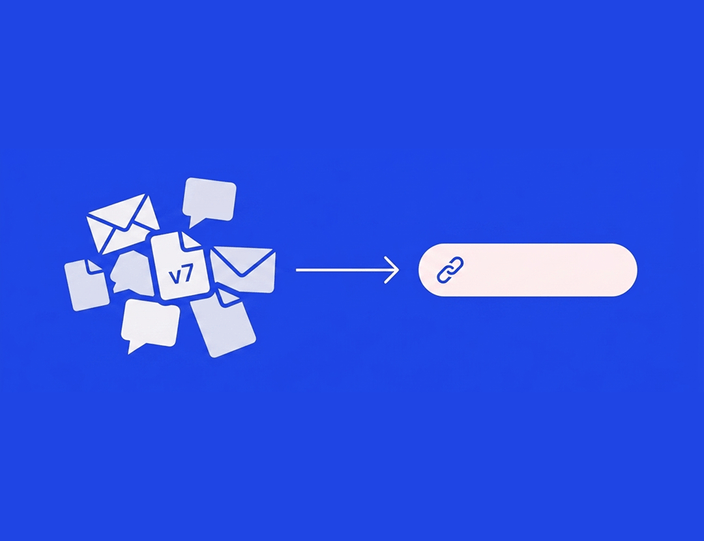
Every marketing team already has task management. The problem is where it lives: the copy task in the project tool, the visual in a design queue, the post itself in a scheduler, and the question “is Thursday’s post actually ready?” in four people’s heads.
Social media work has a property general project tools ignore: the task and the deliverable are the same object. The post is the brief, the work item, the review subject, and the thing that ships. A better task board won’t fix that. Putting the tasks on the posts will, with statuses doing the tracking for free.
Here’s how that works in practice, using Kontentino as the worked example. This guide covers task ownership and publishing readiness – for the review step itself, see the approval workflow guide, and for the full process from brief to analytics, the social media workflow guide.
Assign tasks on the post, not next to it
A task that lives on the post carries its own context: the draft, the visuals, the deadline, the conversation. Nobody reconstructs what “fix the caption – see Slack” meant.
In Kontentino, assigning a task takes four decisions, all made on the post:
- Who. Pick the assignee from the team members on that profile.
- What. Leave instructions right there – “shorten to two lines, swap the second image for the product shot”.
- How urgent. Mark it urgent if it is, and the assignee sees that immediately.
- Notify. Optionally send an email notification, for teammates who don’t live in the tool.
When the assignee finishes and marks the task complete, the assigner gets notified back. The loop closes without a follow-up message.

Roles keep assignments meaningful. Kontentino’s six user roles scope what each person can touch: a Designer edits and downloads visuals but not captions, a Translator or Copywriter edits text, Managers and Admins create, schedule, and approve. Assigning a visual tweak to a Designer means they can do exactly that job and can’t accidentally reschedule the post while they’re in there.
Hint: Batch your assignments. Kontentino’s Time Savers let you assign tasks on multiple posts at once, and the assignee receives one consolidated notification instead of eleven pings.
Each team member’s dashboard then collects everything assigned to them, sorted by user or channel – the personal to-do list writes itself from the posts.
Post statuses: how “is it ready?” answers itself
Task assignment covers who does the work. Statuses cover where the work stands – and they’re what turn a calendar from a schedule into a control panel.
Every post in Kontentino carries one status from a pipeline that mirrors how content gets made:
- Private draft – visible to the creator and admins only, for ideas not ready for the team.
- Draft – visible to the team on that profile.
- Assigned – someone’s actively working on it.
- Done – the work is finished and the post is waiting for review.
- Pending internal approval, internal rework, internally approved – the review loop between done and scheduled.
- Scheduled – queued to publish at the set date and time.
- Posted – live.
- Failed – auto-publishing didn’t go through, and an email explains why, so a gap never waits until Monday to be noticed.
(Teams with client sign-off get a parallel client stage – pending client approval, client rework, approved by client – which is how agencies run the same system. The full status reference in the help center lists every state.)
The statuses are color-coded on the calendar, and the calendar filters by them. That one feature replaces the status meeting: filter by done to see what’s waiting for review, by pending internal approval to see where the bottleneck sits, by scheduled to confirm the week is covered.

A working weekly rhythm
Here’s how tasks and statuses combine into a routine for a typical in-house team – a social lead, a creator, a designer:
Monday – plan and assign. The lead reviews the calendar, drags ideas from the post-ideas lane onto dates, and assigns tasks: captions to the creator, visuals to the designer, urgent flags where needed. Ten minutes, and everyone’s dashboard has their week.
Midweek – work moves itself. As the creator and designer finish, posts move from assigned to done. Nobody reports progress – the statuses are the progress report. The lead filters by done each afternoon and reviews what’s accumulated.
Thursday – readiness check. One filter answers whether next week is covered: everything for next week should be internally approved or scheduled by end of day. What’s still in draft gets an urgent task or a new date. The pre-publish checklist catches the last details – alt text written, link tested – and shows who checked each item and when.
Friday – nothing. That’s the point.
The rhythm scales without changing shape. More brands or markets mean filtering the calendar by profile group before assigning. A second approver means one more status in the pipeline, not a new process. And when someone’s out, their dashboard is the handover document – everything assigned to them, visible to the manager, reassignable in a minute.
The plan question, answered plainly: the calendar and the internal approval workflow come with the Starter plan (from €49/month billed annually). Task assignment, bulk task assignment, the post checklist and the activity log come with Standard and form the core of Kontentino’s collaboration features. Client approvals, for teams whose sign-off includes an outside stakeholder, come with Standard (€109/month billed annually) – reviewers join by invitation and count toward the plan’s bundled users.
If “is it ready?” is a question your team answers in meetings, let the calendar answer it instead. Start a 14-day free trial, no credit card required, or book a demo and we’ll set up your statuses and roles live.
Making statuses honest: three rules
Statuses only work while the team trusts them, and trust erodes in predictable ways. Three rules keep the system honest:
✅ Done means done. The status that matters most is the handoff: done means “a reviewer can look at this right now and nothing is missing”. A team that marks posts done with a placeholder visual or a “caption TBD” teaches its reviewers to re-check everything, and the whole system collapses back into messages. Agree the definition once – copy final, visual attached, link tested – and the pre-publish checklist can record it per post.
✅ One status owner per transition. Who moves a post from done into the approval stage? Who reschedules a reworked post? If the answer is “whoever”, posts stall in limbo and two people fix the same caption. The natural split: creators move work to done, the lead owns everything from review onward. Roles back this up mechanically, since only Managers and Admins schedule.
✅ Statuses are the record, not a report. The moment someone maintains a parallel status column in a spreadsheet “for the overview”, the tool’s statuses start drifting from reality, because updates happen wherever the asker is looking. The overview is the filtered calendar. If a stakeholder wants a weekly summary, send them a link to the calendar view or export it – don’t rebuild it by hand.
Teams that hold these three rules get the quiet payoff: the Activity log on each post becomes a reliable history of who did what and when, which settles “I thought you changed that” conversations in seconds and doubles as an audit trail for regulated brands.
Setting this up in any tool: the three requirements
If you’re evaluating tools for task management on social content, the mechanics above translate into three requirements:
- Tasks attach to posts, with assignee, instructions, and notifications – not a separate board that drifts out of sync with the calendar.
- Statuses are visible and filterable on the calendar, so readiness is a glance, not a question. The status set should distinguish work in progress from waiting for review from ready to publish.
- Roles scope the work, so an assignment grants exactly the needed access – edit visuals, edit text, approve – and nothing more.
A tool that does these three turns coordination into a by-product of the work. A tool that doesn’t leaves you running a shadow spreadsheet, which is where the problem started. And when you trial a candidate, test the requirements on a real week of content with the whole team in it – a task system looks fine with one user and shows its seams with four.
FAQ: social media tasks and post statuses
How do I assign social media tasks to team members?
Assign them on the post itself: pick the assignee, write the instructions in place, flag urgency, and let the tool notify them. The post carries the draft, visuals, and deadline, so the task needs no separate brief. In Kontentino, assignees see their tasks collected on a dashboard, and completing a task notifies the assigner automatically.
How does a team see which posts are ready to publish?
Through post statuses on the calendar. Each post carries its stage – draft, assigned, done, pending approval, approved, scheduled – color-coded and filterable. Filtering the calendar by status answers “what’s ready?”, “what’s stuck in review?”, and “is next week covered?” without a status meeting.
What’s the best way to manage social media tasks – a project tool or a social media tool?
For social content, a social media tool with built-in tasks works better than a general project tool, because the task and the deliverable are the same object: the post. Separate boards drift out of sync with the calendar and strip tasks of their context. General project tools still fit the campaign level – strategy, launches, budgets.
What post statuses should a social media workflow have?
At minimum: a private idea stage, a team-visible draft, an assigned stage for active work, a done stage meaning ready for review, approval stages (internal, plus client for teams with external sign-off), scheduled, and posted – plus a failed status that alerts you when auto-publishing didn’t go through.
Can I assign a task to a designer without giving them access to everything?
Yes, with role-based permissions. In Kontentino, a Designer role edits and downloads visuals and completes tasks but doesn’t edit captions or schedule posts, and a Translator/Copywriter role does the reverse. The assignment grants the work, the role limits the blast radius. And if you’re still shaping who does what, our social media team guide covers building the team itself.
Which Kontentino plan includes task assignment and statuses?
The calendar and the internal approval workflow come with the Starter plan at €49/month billed annually. Task assignment, bulk task assignment, the post checklist and the activity log come with Standard, from €109/month billed annually. Standard also adds client approvals for external stakeholders. Reviewers join by invitation and count toward the plan’s bundled users. (Verified October 2026.)
Let the calendar run your Monday standup

Assign the week on Monday, filter by status on Thursday, and spend the meeting you just saved on the content itself. More than 4,000 brands run their teamwork through Kontentino, which is rated 4.7 on Capterra and 4.6 on G2. The 14-day trial asks for no credit card, and a demo takes half an hour, your team’s real workflow included.