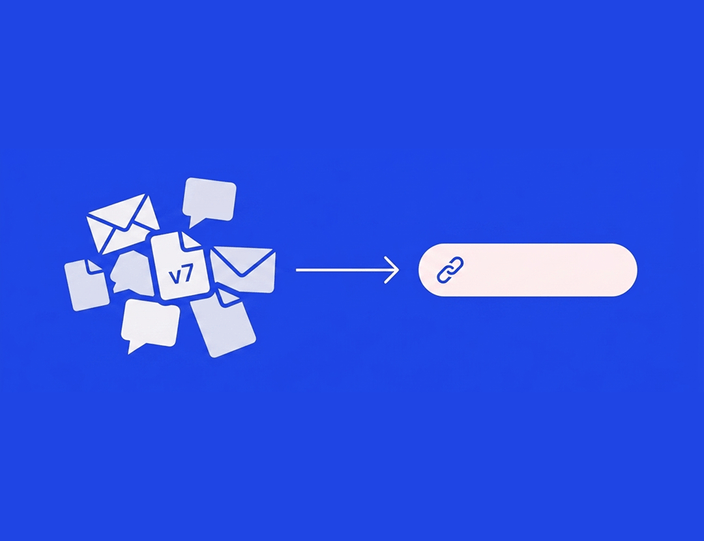
Almost every social media disaster was visible in advance. The cropped-out product, the caption that cuts mid-sentence, the link that goes to last year’s campaign – all of it was sitting there before publish, waiting for someone to look.
And nobody looked, not out of carelessness, but because in most workflows “review” means reading a text document or squinting at an attachment in an email thread. Neither shows the post as the platform will render it. The fix is structural: review from the calendar, in a preview that tells the truth, with an approval step that blocks what hasn’t been checked.
This article is the routine itself. For how the preview feature works in depth, see our guide to post previews on mobile and desktop, and for designing the approval chain, the approval workflow guide.
Why review from the calendar, not from a document
The calendar is the only place where three truths meet: what the post looks like, when it goes out, and what’s around it. Reviewing anywhere else loses at least one.
A calendar review catches things a document review structurally can’t:
- Collisions. Two product pushes on consecutive days, or a promo landing on the day of a somber news moment your scheduled meme will sit next to.
- Sequence. The teaser scheduled after the reveal.
- Rhythm. Five link posts in a row where the mix should alternate.
In Kontentino, the content calendar shows every post color-coded by status, so review day starts with one filter: show me everything that’s done and waiting. Each post opens into a live preview rendered per platform, desktop and mobile – the reviewer sees what a follower will see, not what the creator typed.
The five checks before any approval ✅
Run these on every post, in the preview, every time. They’re ordered by how often each one bites.
1. The first frame. The first carousel slide, the video thumbnail, the image that shows in feed. Is it the right one, and does it work without the caption?
2. The crop. The same visual renders differently per placement. Check that nothing essential – product, face, text on the image – falls outside the frame on any network the post targets. Desktop and mobile both: the preview toggle exists because the two disagree.
3. The caption fold. The first line carries the post. Check where the caption truncates in feed and make sure the hook lands before the “more”. Check the end too – that’s where a placeholder “LINK TBD” goes to hide.
4. Links and the first comment. Click every link in the preview. Right destination, right UTM. On networks where the link lives in the first comment, confirm that comment is attached and correct.
5. Tags, mentions, and location. The collaborator tag on Instagram, the company mention on LinkedIn, the location on a store opening. Wrong or missing tags are invisible in a text document and obvious in a preview.

Hint: Make the five checks a pre-publish checklist in the tool itself. Kontentino’s post checklist (Standard plan) shows who completed each item and when, which turns “did anyone check the links?” into a record instead of a question.
Per-network wrinkles worth knowing
The five checks apply everywhere, but each network adds one wrinkle of its own:
- Instagram: the crop war is 4:5 versus 1:1 versus the grid thumbnail – a visual can pass in feed and still decapitate the product on the profile grid. Check both.
- Facebook: link posts pull their own preview card from the destination page, so the thing to check is the card the platform generates, not just your visual.
- LinkedIn: document posts render as a paginated PDF viewer – page one is the first frame and plays by first-slide rules. Captions get more room, but the fold still exists.
- TikTok and Reels: the UI overlays eat the edges – captions, buttons, and the username sit on top of your video, so text near the borders disappears in practice. The mobile preview is the only honest one here.
- X: on a free account, 280 characters is a hard wall, and a caption trimmed to fit often loses the link or the mention. Paid X accounts can schedule up to 25,000 characters from Kontentino since the May 2026 update. Check what survived the cut.
None of this needs memorizing – it’s what a per-network preview exists to show. The point of listing it is the habit: review each network’s variant, not just the “main” one.
Worked example: reviewing an Instagram carousel slide by slide
Carousels are where preview-based review earns its keep, because a carousel is five to twenty chances for one slide to be wrong. Kontentino schedules every Instagram format including carousels up to 20 images (above 10 images, the post is published through the mobile app), and the preview pages through them exactly as the app will. Here’s the routine on an example – a 7-slide product-education carousel:
Slide 1 – the thumb-stopper. Does it work alone? Most viewers never swipe. The first slide needs the hook and survives the feed crop. Check it in the grid context too – Kontentino’s Instagram grid preview (Standard plan) shows how it sits among the existing posts, worth a glance for visual brands.
Slides 2-6 – the sequence. Page through in order, checking three things per slide: readable text at phone size (the mobile preview, not the desktop one), consistent design (one slide from an older template version jumps out here), and the right order – a swapped slide 3 and 4 turns a how-to into a riddle.
Slide 7 – the handoff. The call to action slide: does it say what to do, and does the caption’s link or first comment deliver it?
Then the frame around the slides. Caption fold check, hashtags where the brand keeps them (caption or first comment), collaborator tags (Instagram allows up to three), location if relevant, alt text written.

A reviewer who finds a problem doesn’t write an email. The correction goes in as a comment on the post – “slide 4 and 5 are swapped, and the CTA slide still has the September date” – and the post goes back with a rework status. The creator fixes, the status returns to review, and the reviewer checks the two flagged things rather than starting over. Comments stay pinned to the post, so the history of what was caught and fixed travels with it.
Approving: who clicks yes, and what yes means
Approval only works when it’s enforceable – meaning the tool knows the difference between reviewed and not. In Kontentino, the internal approval step comes with the Starter plan (€49/month billed annually): the reviewer – typically the social lead – approves from the preview, or sends back with comments, and the post’s status records it with name and timestamp.
For teams whose sign-off includes someone outside marketing – legal, a brand director, a client – client approvals come with the Standard plan (€109/month billed annually), and our guide to getting client sign-off fast covers that flow end to end. External reviewers join by invitation with a Client role, see only the posts that concern them, and approve from the same true-to-platform preview on any device, the mobile app included. Internal comments stay separate from theirs by default, so the internal “is this joke too much?” debate never ships with the post. And when someone just needs to see a post without participating – a stakeholder who wants a look, not a login – a preview link shows it to them exactly as it will appear live. Viewing needs no seat, while approving and commenting happen from invited accounts that count toward the plan’s bundled users.
With Auto-schedule on client approval switched on for the profile, the post is scheduled as soon as the client approves. Otherwise, an Admin or Manager schedules it. Either way, the calendar’s colors tell the week’s story: review done, queue full, Friday safe.

The whole routine – preview, five checks, comment, approve – takes about two minutes per post once it’s habit. Try it on your next week of content – the trial runs 14 days with no credit card – or book a demo and we’ll review one of your real carousels together in it.
For quick visual planning outside the full workflow, the free Instagram feed preview tool shows how a planned grid will look – useful for a fast aesthetic check, no login needed, though it previews the feed rather than running the review-and-approval loop.
FAQ: previewing and approving social media posts
How do I review social media posts before publishing?
Run a fixed routine from the content calendar: open each post in a preview that renders it as the platform will, check the first frame, the crop, the caption fold, every link, and the tags, send corrections as comments on the post, and approve only from the preview. Review in the calendar context so collisions and sequence problems surface too.
What should I check in a post preview before approving?
Five things, in order of how often they go wrong: the first frame (slide one or thumbnail), the crop on every target network in both desktop and mobile rendering, where the caption truncates in feed, every link and the first comment, and tags – collaborators, mentions, location, alt text.
How do you review an Instagram carousel before it goes live?
Slide by slide in a mobile preview: slide one must work without a swipe, middle slides need readable text at phone size, consistent design, and correct order, and the last slide needs a clear call to action that the caption’s link delivers on. Then check the caption fold, hashtags, collaborator tags, and alt text around the slides.
Can a client or manager approve posts without using the whole tool?
Yes. In Kontentino, external reviewers join by invitation with a Client role and see only the posts awaiting their decision, in a true-to-platform preview, on any device. They approve or request changes there, with their comments kept separate from internal ones. Reviewers count toward the plan’s bundled users, and client approvals come with the Standard plan. Someone who only needs to see a post can get a preview link – viewing without a seat, no actions.
What’s the difference between a post preview and a feed preview?
A post preview renders one post as a platform will display it – crop, caption, links – and is the basis for review and approval. A feed preview shows how posts will sit together on a profile grid, mainly for visual planning on Instagram. Free feed preview tools cover the second job. The review-and-approval loop needs the first.
Why do posts still go out with mistakes when someone reviewed them?
Usually because the review happened outside a true preview – in a document, a screenshot, or an email – where crops, truncation, links, and tags are invisible. A review is only as good as what the reviewer could see. Preview-based approval with a required status step closes the gap.
Make the two-minute review a habit

One filter, five checks, one click to approve – and the Friday panic becomes a Thursday glance.
More than 4,000 brands and agencies review their content in Kontentino, which is rated 4.7 on Capterra and 4.6 on G2. The 14-day trial needs no credit card, and if you’d rather watch the routine on your own content first, book a demo and bring it on.